
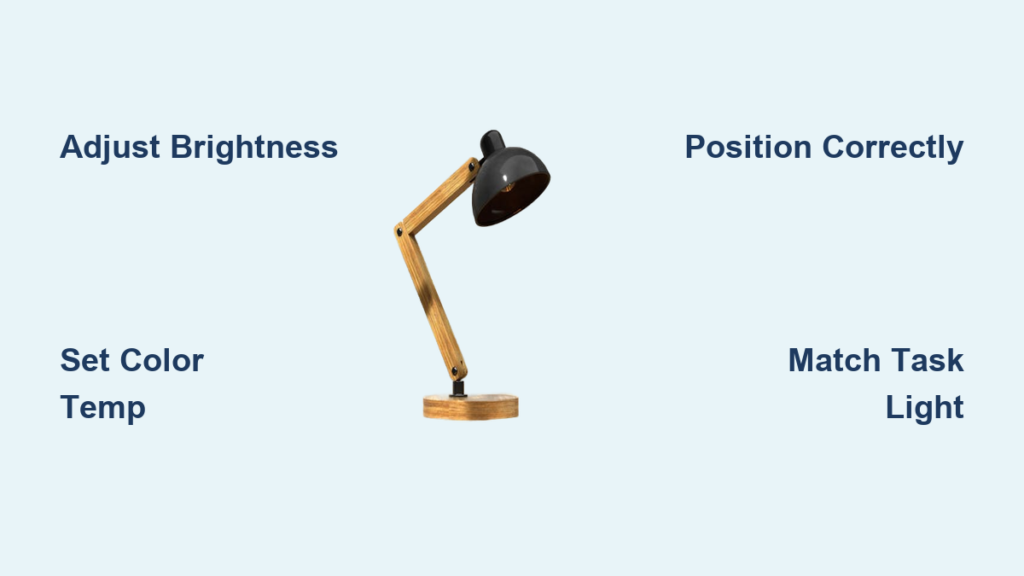
You sit down to read, work, or create, only to squint under dim lighting or struggle with glare on your screen. A desk lamp can solve that, but only if used correctly. Knowing how to use a desk lamp is not just about turning it on; it is about adjusting brightness, choosing the right color temperature, positioning it properly, and leveraging its full range of features. Whether you are studying late, editing photos, or filming a video call, the right setup makes all the difference.
This guide walks you through every step, from powering up your lamp to optimizing it for any task, so you can work comfortably, see clearly, and protect your eyes.
Master the Controls
Adjust Brightness Correctly
Start by learning how to control the light output. Most modern LED desk lamps feature a rotary dial or slider for brightness. Press the dial to turn the lamp on, as many models default to full brightness. To dim, rotate the dial counter-clockwise; turn it clockwise to increase brightness. Stop when you hit the maximum or minimum, as forcing it further will not help and may damage the mechanism.
Some lamps use a slide bar instead. Slide up or forward to brighten, down or back to dim. Always begin in a dim room to gauge the ideal level without overexposure. For long tasks like reading or writing, set brightness just high enough to illuminate your work without creating glare.
• Use warm to neutral white for reading and writing tasks
• Switch to cool daylight for precision work like drawing or photo editing
• Adjust brightness throughout the day to match ambient light levels
Change Color Temperature
Your lamp likely offers adjustable color temperature, letting you switch between warm and cool light. Press the CCT button, often labeled with a sun or lightbulb icon, to cycle through modes. Warm white ranges from 2700K to 3500K, providing a soothing, yellow-toned light ideal for evening reading. Neutral white spans 3500K to 4500K, offering balanced light for general work. Cool or daylight white ranges from 5000K to 6500K, delivering crisp, bluish light that boosts alertness and color accuracy.
On advanced models, rotate the dial after pressing CCT to fine-tune the shade. Use daylight settings for precision tasks like drawing or photo editing. Switch to warm light at night to support natural sleep rhythms.
Use Memory and Timer Features
Many lamps remember your last settings. Turn it off, then back on, and the same brightness and color return automatically. This saves time and ensures consistency across sessions.
If your lamp has a 60-minute auto-shutoff timer, activate it before reading in bed or stepping away briefly. It prevents accidental overnight use and conserves energy. Look for a clock icon or timer symbol on the control panel.
Position for Optimal Lighting

Place on the Opposite Side
The best position depends on your dominant hand. Right-handed users should place the lamp on the left side of the desk. Left-handed users should put it on the right. This prevents your hand from casting shadows while writing, typing, or drawing.
Avoid center placement unless the lamp has dual heads or symmetric diffusion. A centered lamp often creates uneven lighting or glare on screens.
Set the Right Height and Angle
The lamp head should sit slightly above eye level when you are seated. This reduces glare and directs light where it is needed. Adjust the arm so the light shines at a 30 to 45 degree angle onto your workspace.
Keep the lamp head 12 to 18 inches from your desk surface. Too close causes harsh hotspots; too far reduces effectiveness. For swing-arm models, lock joints firmly to prevent drooping over time.
If you see a bright reflection on paper or screen, reposition the lamp slightly to eliminate the glare.
Match Light to Your Task
Reading and Writing
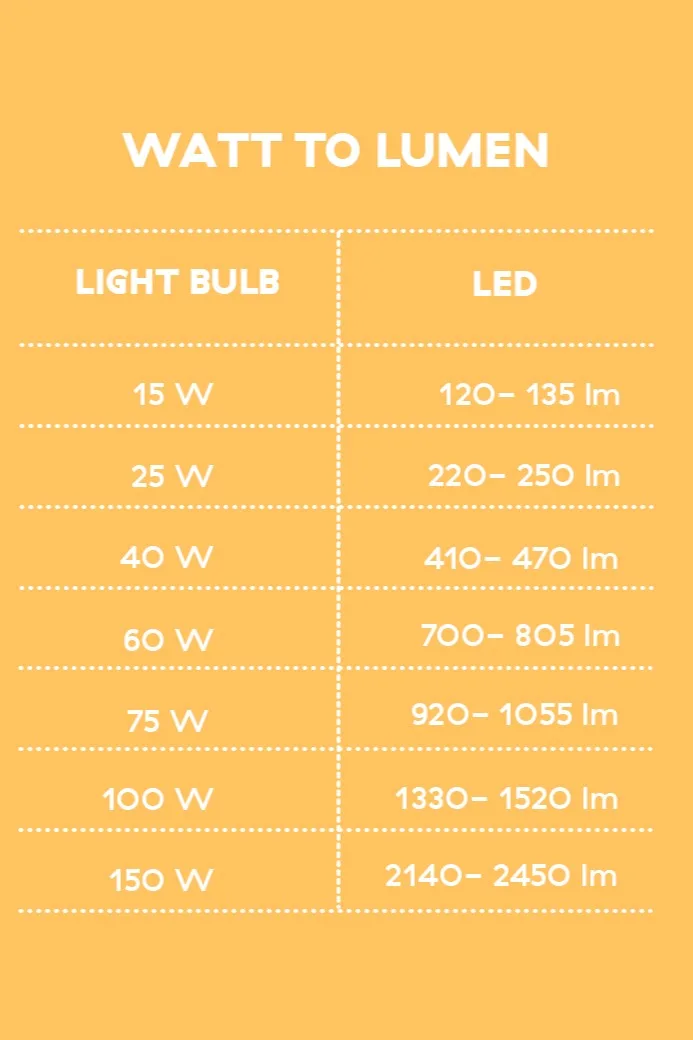
Use 450 to 800 lumens with warm to neutral white, ranging from 3000K to 4000K. This provides clear visibility without eye fatigue. Avoid cool daylight tones at night, as they can disrupt melatonin production.
Position the light to cover your book or notebook evenly. If using a physical book, angle the lamp so both open pages are lit, with no dark shadows on the inner margin.
Computer and Office Work
Set brightness between 500 and 1,000 lumens and use neutral white, ranging from 3500K to 4500K. This balances screen contrast and reduces digital eye strain.
Ensure the lamp does not reflect off your monitor. If glare appears, lower the brightness, shift the lamp sideways, or use a matte screen filter. Never place the lamp directly behind or in front of your screen.
Over-relying on overhead lights creates shadows and uneven brightness. A desk lamp fills in gaps and gives you control.
Detailed Craft and Drawing
For tasks like painting, sewing, or model building, use 800 to 1,500 lumens and daylight white, ranging from 5000K to 6500K. High-intensity light reveals fine details and true colors.
Angle the beam to highlight texture without casting deep shadows. If your lamp has a magnifier, position it so both light and lens focus on the same spot. Clean the magnifying glass regularly to avoid blurred vision.
Photo Editing and Design
Color accuracy is critical. Use 1,000 to 1,500 lumens at 6500K to match standard display conditions. This helps you judge how printed materials will look under natural light.
Turn off colored room lights or neon signs, as ambient color casts can distort perception. Work in a neutral-colored room, with gray or white walls preferred, to avoid color bounce.
Calibrate your monitor first, then use the lamp to verify skin tones or print proofs under consistent lighting.
Photography and Video Calls
Your desk lamp can double as a budget-friendly light source. For product photography, position it at a 45-degree angle to the subject to create depth and dimension. Use a white sheet or foam board to bounce light and soften shadows.
For video calls or streaming, rotate the lamp to shine onto your face from above and slightly in front. This mimics professional ring light effects, reducing shadows under the eyes and chin.
Avoid backlighting unless you are going for a silhouette effect, as your camera will otherwise darken your face to compensate.
Choose the Right Lamp Type
LED Lamps for Daily Use
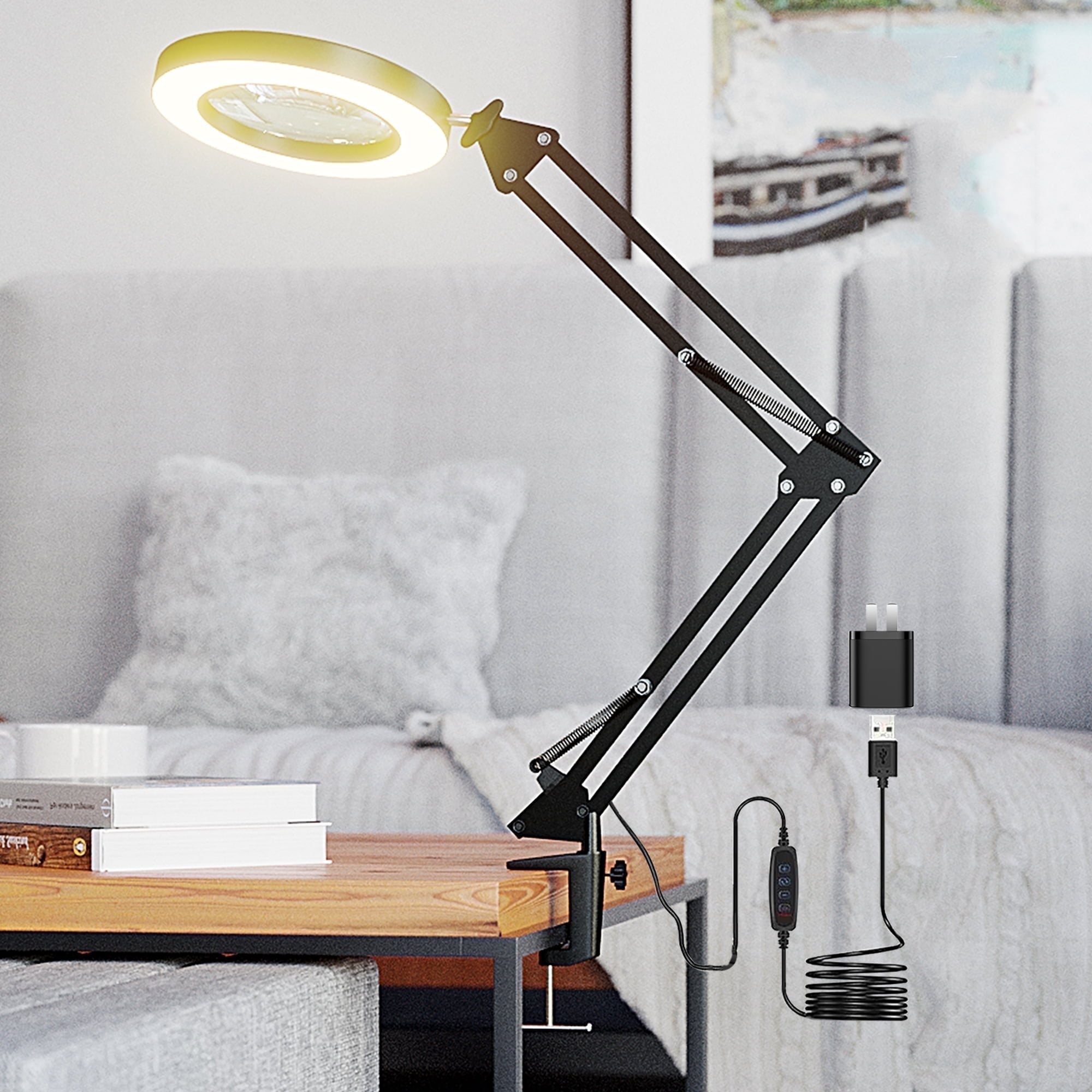
Modern LED desk lamps are energy-efficient, lasting 25,000 to 50,000 hours, and fully adjustable. Look for models with dimmable brightness, CCT control, and a stable base. They are ideal for students, remote workers, and creatives.
Swing-Arm Lamps for Flexibility
These feature articulated arms that let you direct light precisely. Perfect for artists, engineers, or anyone who changes work zones frequently. Ensure joints stay tight over time, as quality models resist sagging.
Magnifying Lamps for Precision
Equipped with a 1.75x to 5x magnifier and surrounding LEDs, these lamps help with watch repair, jewelry making, or reading small text. Adjust both the lens and light height for optimal focus.
Clamp-On Lamps for Small Spaces
Use a clamp-on design if desk space is limited. It attaches securely to table edges and keeps the surface clear. Ideal for dorm rooms, studio desks, or portable setups.
Smart Lamps for Automation
Smart desk lamps connect to apps or voice assistants like Alexa or Google Assistant. Set schedules, create lighting scenes, or control brightness hands-free. Great for streamers or tech-savvy users.
Decorative Lamps for Style
These prioritize aesthetics with wood, brass, or minimalist designs. Best for living rooms or home offices where mood matters as much as function. They may lack advanced features but enhance room ambiance.
Set Up and Power Properly
Assemble in Seconds
Most lamps come pre-assembled. Unpack the unit, power block, and USB-C cable. Place the lamp on a flat surface, as many have heavy bases for stability. Plug the power block into the wall, then connect the USB-C end to the lamp rear port.
No tools are needed. If the cable is secured with a tie, cut it carefully and route the cord through built-in channels to reduce clutter.
Power Anywhere
Desk lamps offer multiple power options. The wall outlet is most reliable for continuous use. USB power bank is perfect for travel, camping, or power outages. Laptop or desktop USB port works for temporary setups.
Ensure your power source delivers enough current, usually 5V/1A or higher. Weak sources may cause flickering or limited brightness.
Use a power bank during blackouts as a time-saving shortcut, turning your lamp into an emergency light.
Maintain and Maximize Lifespan
Keep It Clean and Stable
Dust the lamp head and shade weekly with a microfiber cloth. Wipe metal arms gently to prevent scratches. For sticky controls, clean around buttons with a cotton swab dipped in rubbing alcohol.
Check joints monthly and tighten screws if the arm drifts. A smooth-acting hinge should hold position without slipping.
Manage Cables Neatly
Use built-in cable ties or routing grooves to keep cords tidy. A messy wire increases tripping risk and makes repositioning harder. Clip excess length or use a cable sleeve.
Know the Lifespan and Warranty
LED lamps last 25,000 to 50,000 hours, which is over 10 years at 6 hours per day. They generate little heat, reducing wear on internal parts.
Check the manufacturer warranty, typically 1 to 3 years, for coverage of electronic failures or defective components. Register your product online if required.
Use in Real-Life Scenarios
Study Smarter at Night
Use neutral white light at 4000K while studying to stay alert. Set the timer to turn off after 60 minutes to avoid eye strain. Position the lamp so it lights your textbook but not your phone to minimize distractions.
Switch to warm light at 3000K an hour before bed to signal your brain it is time to wind down.
Create a Professional Vlogging Setup
No ring light? No problem. Rotate your desk lamp to face you, elevate it slightly using a stack of books, and turn on daylight mode at 6500K. Sit 2 to 3 feet away for even facial lighting.
Turn off overhead lights to avoid mixed color temperatures. Record in a quiet, clutter-free area for a polished look.
Edit Photos Accurately
Set the lamp to 6500K and place it beside your monitor, slightly behind and to the side. This mirrors professional viewing booths. Use a gray card under the same light to double-check color balance.
Avoid fluorescent or yellow-tinted bulbs nearby, as they distort how colors appear on screen.
Read Without Strain
Dim the lamp to 400 to 600 lumens and use warm white at 2700K to 3000K. Angle it over your shoulder so light falls across the page, not into your eyes. Sit upright and do not hunch over the book.
Pair with a bookstand to keep pages flat and evenly lit.
Fix Common Issues
No Light After Powering On
Check whether the power block is plugged in. Verify the USB cable is fully inserted. Try a different outlet or cable if needed.
If still no light, press and hold the power button for 5 seconds, as some models reset this way.
Flickering Light
Common causes include a loose cable connection, weak power source like a low-power USB port, or dirty contacts on the base or arm.
Reconnect cables, use a wall adapter, or clean contact points with a dry cloth to resolve flickering.
Lamp Arm Will Not Stay in Place
If the arm sags, tighten adjustment knobs or screws. Check for worn hinges and contact the manufacturer if under warranty. Avoid hanging objects on the arm.
Color Mode Not Changing
Press the CCT button firmly. If unresponsive, restart the lamp. Clean around the button. Ensure firmware is updated for smart models.
Final Tips for Best Results
Use layered lighting by combining your desk lamp with soft room lights to reduce contrast. Switch color temperature with the time of day, using cool light in the morning and warm light at night. Turn off when not in use, as even LEDs consume energy. Upgrade when needed; if your lamp lacks dimming or CCT, consider a modern LED model.
Key Takeaways for Using Your Desk Lamp Effectively
A well-used desk lamp does more than light a desk. It protects your eyes, sharpens focus, and adapts to every part of your day. From late-night reading to professional video calls, mastering how to use a desk lamp turns a simple tool into a productivity powerhouse.
Start by understanding your lamp controls, then position it correctly for your dominant hand. Match brightness and color temperature to your specific task, whether you are reading, working on a computer, creating art, or editing photos. Maintain your lamp by keeping it clean and checking joints regularly. With these skills, you can transform any workspace into a well-lit environment that supports comfort and performance.
Frequently Asked Questions About Using a Desk Lamp
What is the best position for a desk lamp?
Place the lamp on the side opposite your dominant hand. Right-handed users should position it on the left, while left-handed users should place it on the right. This prevents your hand from casting shadows while working.
What color temperature should I use for reading?
Use warm white light ranging from 2700K to 3000K for reading. This reduces eye strain and supports better sleep if you read before bed. Avoid cool daylight tones at night, as they can disrupt your natural sleep rhythms.
How far should a desk lamp be from my desk?
Keep the lamp head 12 to 18 inches from your desk surface. This distance provides focused lighting without creating harsh hotspots or glare on your work materials.
Can I use a desk lamp for video calls?
Yes, position the lamp to shine onto your face from above and slightly in front. This mimics professional ring light effects and reduces shadows under the eyes and chin. Avoid placing it behind you, as this creates a silhouette effect.
How do I clean my desk lamp?
Dust the lamp head and shade weekly with a microfiber cloth. For sticky controls, use a cotton swab dipped in rubbing alcohol. Check joints monthly and tighten any loose screws to maintain stability.
How long do LED desk lamps last?
LED desk lamps typically last 25,000 to 50,000 hours, which equates to over 10 years with average daily use of 6 hours. They generate minimal heat, which helps extend their operational life.





