
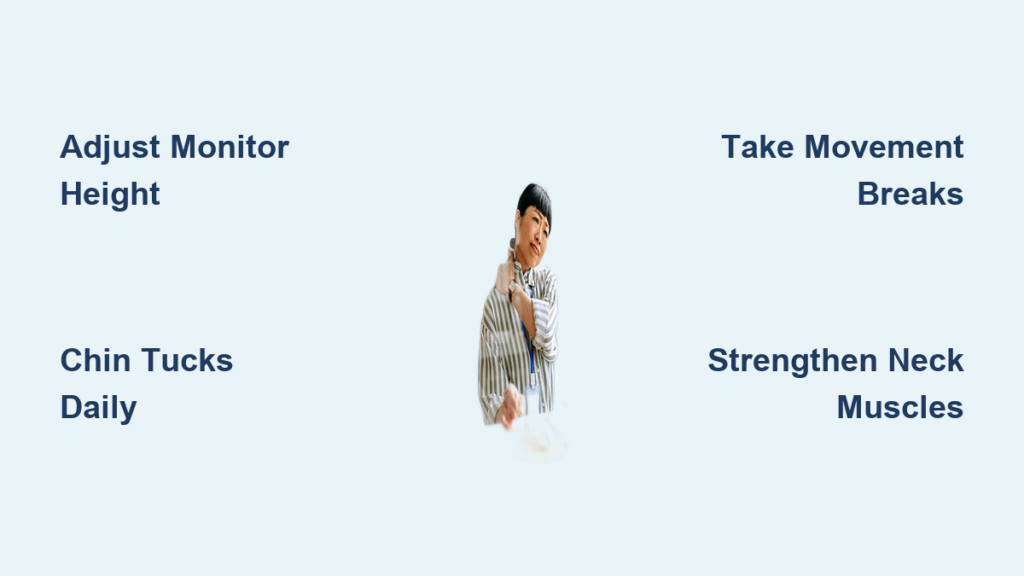
Neck pain from desk work is more than just an occasional nuisance. It is a widespread issue affecting millions of office workers, remote employees, and students glued to screens for hours. Known as “tech neck” or “text neck,” this condition stems from prolonged forward head posture, poor ergonomics, and sedentary habits. The average human head weighs 10 to 14 pounds, but at just 45 degrees of forward tilt, it exerts nearly 50 pounds of pressure on the cervical spine. This leads to muscle strain, disc degeneration, and chronic discomfort.
The good news? Most desk-related neck pain is preventable. By optimizing your workstation, moving regularly, strengthening key muscles, and adopting healthier lifestyle habits, you can protect your neck and improve overall well-being. This guide delivers actionable, science-backed strategies to help you stop neck pain before it starts.
Optimize Your Ergonomic Setup

A well-designed workspace reduces physical stress and supports natural spinal alignment. Small adjustments can dramatically decrease the load on your neck and shoulders.
Adjust Chair for Proper Support
Your chair is the foundation of good posture. Sit fully back to engage the lumbar support and maintain the spine’s natural curve. Adjust the seat height so your elbows form a 90-degree angle when typing, with forearms parallel to the floor. Keep your feet flat on the ground or use a footrest if needed. Avoid crossing your legs, which can tilt the pelvis and pull your spine out of alignment.
Choose a chair with adjustable armrests to prevent shoulder elevation. Consider one with a headrest for short rest breaks. If you are shorter or taller than 5’10”, standard desk heights may not suit you. Combine seat adjustment with a sit-stand desk for ideal positioning.
Position Monitor at Eye Level
One of the top causes of neck strain is a monitor that is too low. To prevent constant downward gaze, set the top of your screen at or slightly below eye level. Your eyes should focus on a point 2 to 3 inches below the top of the screen to avoid tilting your head up or down.
Place the monitor 20 to 30 inches away, about arm’s length. For dual monitors, center your primary screen and angle side monitors at 30 to 45 degrees to reduce neck rotation. Use monitor arms for precise height and angle control.
Elevate Laptops Correctly
Laptops are convenient but notoriously bad for posture. Never work from your lap or a coffee table. Instead, use a laptop stand or stack of books to raise the screen. Pair it with an external keyboard and mouse so your arms stay relaxed and wrists neutral.
Place Keyboard and Mouse Strategically
Keep your keyboard close enough to maintain 90-degree elbow bends and relaxed shoulders. Use an ergonomic keyboard. Split, compact, or tented models help reduce shoulder strain and ulnar deviation.
Position the mouse right next to the keyboard to avoid reaching. Choose a vertical mouse, trackball, or stylus for better wrist alignment. Avoid prolonged touchpad use, which forces awkward wrist angles and increases strain.
Reduce Glare and Improve Lighting
Poor lighting forces you to lean forward, worsening neck posture. Maximize natural daylight when possible to support alertness and circadian rhythm. Reduce screen glare with anti-glare filters, matte screen protectors, or repositioning your monitor away from windows.
Ensure ambient lighting is balanced. Too dim causes squinting, and too bright creates reflections. Task lighting can help when reading printed materials without straining your neck.
Maintain Neutral Posture All Day
Sitting correctly is not a one-time fix. It is an ongoing practice. Consistently maintaining neutral spinal alignment protects your neck from cumulative damage.
Align Ears Over Shoulders
The key to neutral posture is stacked alignment. Ears should be over shoulders, shoulders over hips, hips over knees, and knees over ankles. This preserves the natural curves of your spine, minimizing joint stress and muscle fatigue.
Avoid forward head posture, where your chin juts out. Even a few inches forward multiplies the load on your neck muscles and accelerates disc wear.
Sit Back, Feet Flat, Shoulders Down
Always sit fully back in your chair to use lumbar support effectively. Let your spine rest against the backrest. Keep your shoulders relaxed and down, not hunched or elevated.
Keep your feet flat on the floor or a footrest. This stabilizes your pelvis and prevents slouching. Avoid crossing your legs, which can cause pelvic imbalance and increase spinal curvature over time.
Take Movement Breaks Every 30 Minutes
Staying in one position for too long leads to muscle stiffness and microtrauma. Stand up or move every 30 to 60 minutes, even if just for 30 seconds.
Set timers, alarms, or use productivity apps to remind you. Use breaks to walk to get water, make phone calls standing, stretch your neck and back, or touch your toes to reset spinal alignment.
Follow the 20-20-20 Rule
Every 20 minutes, look away from your screen and focus on an object 20 feet away for at least 20 seconds. This reduces eye strain and prompts subtle neck adjustments, breaking unconscious forward head habits.
It also gives your brain a micro-pause, improving focus and reducing mental fatigue. This makes it a win for both eyes and neck.
Strengthen and Stretch Daily
Weak muscles and tight tissues contribute significantly to neck pain. A simple daily routine can reverse imbalances caused by prolonged sitting.
Strengthen Deep Neck and Upper Back Muscles
Weak deep neck flexors and scapular stabilizers allow the head to drift forward. Counteract this with targeted exercises.
Chin tucks build strength. Sit upright and gently glide your chin straight back like making a double chin. Hold for 2 to 3 seconds. Perform 3 sets of 10 to 15 reps.
Isometric neck exercises also help. Press your hand into your forehead, side of head, and back of head. Resist without moving for 5 to 10 seconds per direction.
Wall angels strengthen the upper back. Stand with your back against a wall, arms in goalpost position. Slide arms up and down slowly while keeping contact with the wall. Perform 3 sets of 10 to 12 reps.
Also strengthen your core and glutes. They support pelvic alignment, which affects your entire posture chain.
Stretch Tight Chest and Neck Muscles
Prolonged sitting shortens the pectoralis minor, upper trapezius, and levator scapulae. Stretch them daily to restore balance.
The doorway chest stretch is effective. Step into a doorway, place forearms on the frame, and lean forward until you feel a stretch across your chest. Hold 30 seconds, 3 sets.
For the upper trapezius stretch, tilt your head to one side and gently pull with the opposite hand. Hold 15 to 20 seconds per side.
For the levator scapulae stretch, rotate your head 45 degrees down, like looking into your back pocket. Gently pull with your hand. Hold 30 seconds per side, 3 sets.
The chin-to-chest stretch targets neck flexors. Tuck your chin and gently pull your head down. Hold 20 to 30 seconds.
Do these stretches during hourly breaks or after long work sessions.
Adopt Neck-Healthy Lifestyle Habits
Your desk habits are just one piece of the puzzle. Hydration, diet, sleep, and stress management all impact neck health.
Stay Hydrated for Disc Health
Spinal discs are 70 to 90 percent water. Dehydration reduces disc height, decreases shock absorption, and accelerates degeneration. Aim for 64 ounces of water daily, more if you are active or in dry climates.
Set hourly reminders to drink. Limit diuretics like caffeine and sugary drinks. Include herbal teas and low-sugar fruit-infused water to stay hydrated without extra calories.
Eat Anti-Inflammatory Foods
Chronic inflammation worsens musculoskeletal pain. Support your body with an anti-inflammatory diet.
Eat fatty fish like salmon and mackerel, rich in omega-3s. Include leafy greens such as spinach and kale. Add berries like blueberries and strawberries. Snack on nuts like walnuts and almonds. Use olive oil and eat tomatoes, peppers, and whole grains.
Avoid pro-inflammatory foods. Limit refined sugars, trans fats, processed meats, and excess alcohol.
Manage Stress to Reduce Muscle Tension
Stress triggers muscle guarding, especially in the neck and shoulders. Chronic tension lowers your pain threshold and creates a feedback loop of discomfort.
Combat stress with deep breathing. Inhale through your nose and exhale slowly through your mouth. Try mindfulness meditation. Practice yoga or tai chi. Go for regular walking or cycling.
Stress-reduction activities often also build postural strength.
Upgrade Your Phone Habits
Cradling a phone between your ear and shoulder causes asymmetric neck strain. Replace this habit with wired or Bluetooth earbuds. Use speakerphone or a headset with microphone.
If you make frequent calls, invest in a desk phone with headset support to keep your neck centered and shoulders relaxed.
Improve Sleep Posture
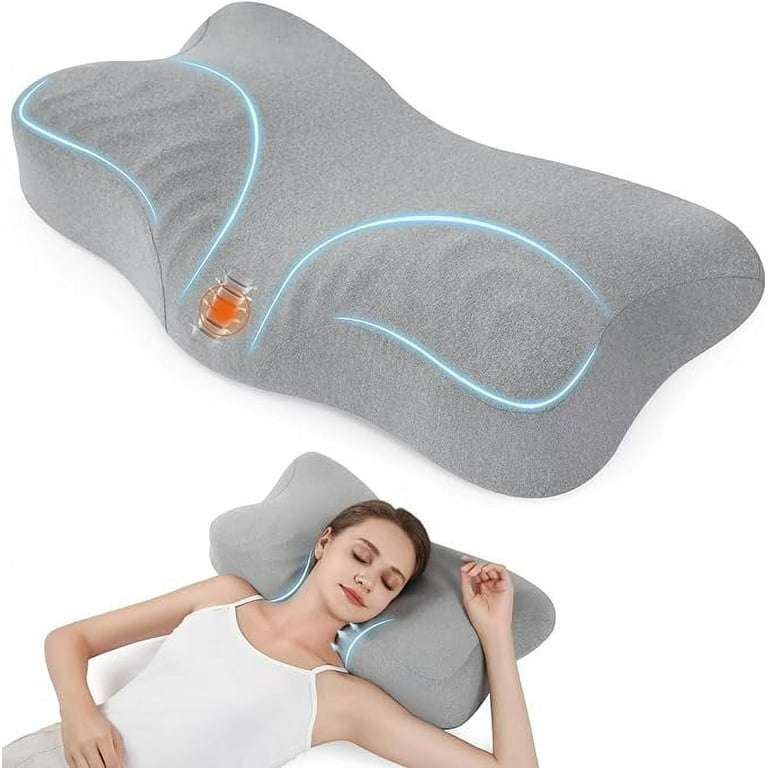
Poor sleep posture can undo your daytime efforts. Waking up stiff? Your pillow or position may be the culprit.
Choose the Right Pillow
Your pillow should keep your head and neck aligned with your spine, not too high or too low.
Memory foam pillows conform to your shape and support cervical curves. Contoured or cervical pillows are designed to cradle the neck. Avoid flat or overly fluffy pillows that cause hyperflexion or hyperextension.
Test your fit. If you wake up with pain or stiffness, try a different height or firmness.
Sleep on Your Back or Side
Back sleeping is best for spinal alignment. Place a pillow under your knees to maintain lumbar curve. A small pillow under each arm can reduce shoulder strain.
Side sleeping works well if you keep hips aligned with a pillow between your knees. Use a cervical pillow that fills the gap from neck to mattress.
Avoid stomach sleeping. It forces extreme neck rotation and strains cervical joints.
Try a Slight Incline
If you have chronic stiffness or snoring issues, consider sleeping at a slight incline using a wedge pillow or adjustable bed. This can relieve neck tension and improve breathing.
Know When to Seek Professional Help
Most neck pain is preventable or manageable with lifestyle changes. But some symptoms need expert care.
Watch for Red Flags
See a healthcare provider if pain lasts longer than 30 days. Also seek help if you have radiating pain, numbness, or tingling in your arms. Hand weakness or loss of fine motor skills warrants attention. Leg weakness, saddle anesthesia, or loss of bladder or bowel control requires emergency care.
These could signal nerve compression or serious spinal conditions.
Access Physical Therapy Early
Physical therapy is the first-line treatment for persistent neck pain. Therapists provide postural retraining, manual therapy, and customized stretching and strengthening.
In many states, you can access direct physical therapy without a doctor’s referral. Telehealth options also make care more accessible.
Consider Imaging and Advanced Care
If pain persists beyond 6 weeks, your provider may order X-rays, MRI, or CT scans to assess disc degeneration, arthritis, or nerve impingement.
Advanced treatments like epidural injections or facet joint blocks may be considered after conservative care fails. Surgery is rare and reserved for structural issues.
Key Takeaways for Preventing Neck Pain at Your Desk

Neck pain at the desk is not inevitable. It is the result of repeated micro-stresses that add up over time. The solution is a proactive, holistic approach combining ergonomics, movement, strength, and lifestyle habits.
Start small. Adjust your monitor this week, add chin tucks tomorrow, and swap one sugary drink for water today. Small changes compound into lasting relief.
Reassess your setup every 3 to 6 months. Replace worn chairs, unstable desks, or flattened pillows. Track your progress with a pain diary or app to identify triggers and celebrate improvements.
Preventing neck pain is not about perfection. It is about consistency. By aligning your environment, body, and habits, you can work comfortably, stay pain-free, and protect your spine for years to come.
Frequently Asked Questions About Preventing Neck Pain at Your Desk
How long should I sit before taking a break?
Take a movement break every 30 to 60 minutes. Even 30 seconds of activity can reset posture and improve circulation. Stand up, walk to get water, or stretch briefly during these breaks.
What is the best monitor height to prevent neck pain?
Set the top of your screen at or slightly below eye level. Your eyes should focus on a point 2 to 3 inches below the top of the screen. This prevents tilting your head up or down.
Can chin tucks really help with neck pain?
Yes. Chin tucks strengthen deep neck flexors that support proper head alignment. Perform 3 sets of 10 to 15 reps daily. Sit upright and gently glide your chin straight back, holding for 2 to 3 seconds.
Does hydration affect neck pain?
Yes. Spinal discs are 70 to 90 percent water. Dehydration reduces disc height and shock absorption, accelerating degeneration. Aim for 64 ounces of water daily.
When should I see a doctor for neck pain?
See a healthcare provider if pain lasts longer than 30 days, radiates into your arms, or causes hand weakness. Loss of bladder or bowel control requires emergency care immediately.





