
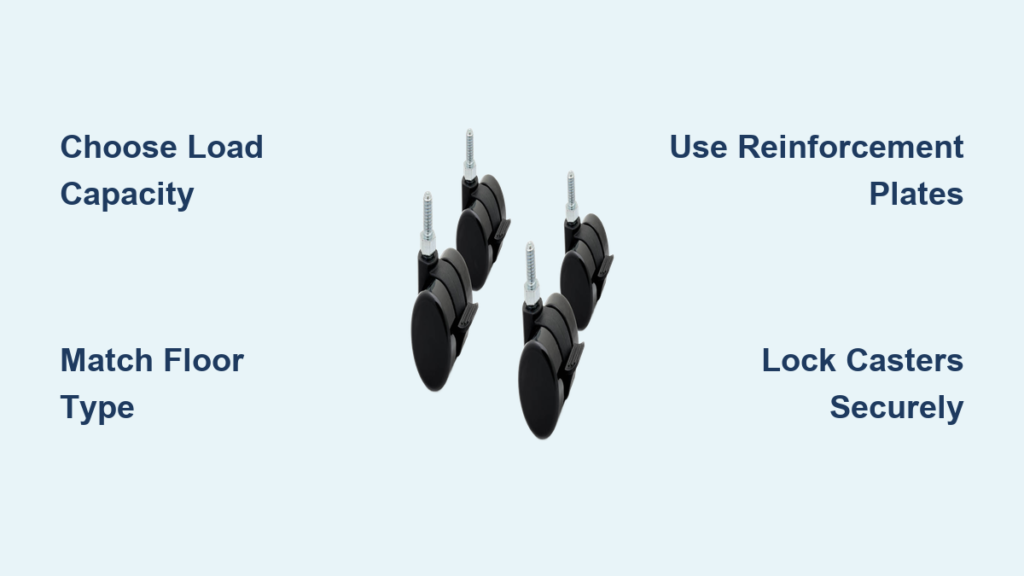
You’ve got a sturdy desk that works perfectly except it’s stuck in one spot. What if you could roll it aside for cleaning, reposition it for better lighting, or turn it into a mobile workstation? The solution is simple: add casters to your desk. Whether you’re upgrading a sit-stand desk, reviving a vintage teacher’s desk, or optimizing a home office layout, installing caster wheels transforms static furniture into flexible, functional space savers.
This guide walks you through every step from choosing the right wheels to securing them safely so your desk rolls smoothly without risking damage or instability. We’ll cover caster selection by load capacity and floor type, matching hardware to your desk’s material, and avoiding common mistakes like splitting legs or misaligned holes.
Choose the Right Casters

Match Load Capacity to Your Desk
Every caster has a weight limit. Exceed it and you risk collapse or floor damage. Use casters rated for at least 88 lbs each, which gives you 352 lbs total for four wheels. Heavier desks like solid oak or workshop models may need industrial-grade casters rated up to 500 lbs per wheel. Check your desk’s weight since a typical wooden desk can easily exceed 200 lbs, especially with equipment on top.
Pro Tip: When in doubt, over-engineer. Choose casters rated 20 to 30 percent above your estimated load.
Pick Wheel Material for Your Floor
Rubber wheels are quiet and non-marking, making them ideal for hardwood, tile, and laminate floors. Polyurethane wheels offer smooth glide and durability while working on most surfaces. Nylon wheels handle heavy loads and rough floors best but can scratch soft flooring. Avoid hard plastic or metal wheels since they may damage floors and create annoying noise.
Select Swivel vs. Locking Casters
Swivel casters rotate 360 degrees and offer full mobility, which is essential for tight spaces. Locking casters stop rolling and rotation, giving you stability during work. Use four locking swivel casters for maximum control. Some locking casters only lock rolling motion, not swiveling, so the desk may still pivot when bumped. This is common in cheaper models.
Prepare Tools and Materials
Gather Essential Tools
You need a drill with variable speed, a paddle bit or twist bit sized for your screws, a speed square for alignment, an adjustable wrench for tightening bolts, a tape measure and pencil, and a flat-blade screwdriver or utility knife to remove felt pads.
Collect Key Materials
Your materials list includes four casters (or five to six for multi-leg sit-stand desks), 3/4-inch wood screws for direct wood attachment, 8mm bolts common on sit-stand desks, washers to prevent wood crushing, a plywood strip (¾-inch thick, 23 by 2.75 inches) for mounting plates, a ½-inch plywood spacer if bolts are too long, 2×4 lumber for leg extensions on thin or vintage legs, and foam padding to protect the desk finish when flipped.
Pro Tip: Label each leg and caster during disassembly to avoid mix-ups.
Install Casters on Sit-Stand Desks
Remove Existing Feet
Flip the desk upside down on a padded surface. Use a flat tool to pry off rubber feet or felt pads. Underneath, you’ll find screw holes or bolt ports. Some models like UPLIFT or Fully Jarvis use 8mm bolts, so keep these for reference when buying replacements.
Use Plywood Reinforcement Plates
Many sit-stand desks have narrow feet that don’t allow full caster plate contact. The solution is to attach a plywood mounting plate. Cut a ¾-inch plywood strip to match the leg base size, position it flush with the leg’s bottom edge, drill holes for 8mm bolts, insert with washers, and tighten just enough to secure without over-tightening.
Adjustment Tip: If bolts protrude and hit the floor, add a ½-inch spacer between the leg and plate.
Mount Casters to the Plate
Place the caster base on the outer edge of the plywood plate, pre-drill holes slightly smaller than the screw diameter, attach with 3/4-inch wood screws and washers, and repeat for all legs. The screws should bite deep into the plywood without splitting the edges.
Upgrade Wooden Desks with Caster Legs

Assess Leg Thickness
Solid wood desks like oak or maple can support casters if legs are at least 2.5 inches wide. Thinner legs under 2 inches risk splitting. Never mount casters directly to fragile antique legs without reinforcement. A 1920s teacher’s desk may look sturdy, but thin legs can crack under stress especially during movement.
Extend Legs with 2×4 Blocks
For vintage or narrow-legged desks, build downward using 2×4 extensions. Cut four 2×4 blocks to desired length (typically 6 to 12 inches), attach vertically to each leg using long wood screws or lag bolts, pre-drill to prevent splitting, and mount casters to the bottom of each block.
Expert Hack: Make back legs shorter than front. Lift the front edge and roll the desk like a dolly for occasional moves.
Reinforce Weak or Particleboard Desks

Why Reinforcement Matters
Laminate or particleboard desks lack screw-holding strength. Without support, casters can pull out under load. Reinforcement spreads weight and prevents damage to your desk.
Use Plywood Plates or Corner Brackets
Attach a 6-inch by 6-inch plywood piece under each leg footprint before mounting casters. Install corner brackets at leg-to-frame joints to resist wobble. Press threaded inserts into particleboard for stronger screw retention. Always pre-drill in particleboard since skipping this causes the material to split.
Mount Casters Step by Step
Step 1: Flip and Prep the Desk
Lay the desk upside down on foam padding or a moving blanket. Remove all feet, glides, or caps. Clean the mounting surface thoroughly.
Step 2: Mark Hole Positions
Measure the leg base. Transfer caster plate hole positions using a pencil. Use a speed square to align marks across edges for accuracy.
Step 3: Pre-Drill Pilot Holes
Use a drill bit slightly smaller than the screw shank. For 3/4-inch screws, a 1/8-inch or 5/32-inch bit works. Drill straight since angled holes cause misalignment. Skipping pilot holes is the number one cause of split wood.
Step 4: Attach Casters or Plates
If using direct mount, align the caster base with holes, insert screws with washers, drive most of the way with a drill, and finish by hand for control. If using reinforcement, secure the plate first with bolts and washers, then attach the caster to the plate.
Step 5: Final Stability Check
Flip the desk upright. Test each caster by rolling in all directions and engaging the locking mechanism. Check for wobble. Use an adjustable wrench to tighten any loose frame bolts. Re-tighten after 24 hours of use.
Fix Common Installation Problems
Holes Are Misaligned
If the caster doesn’t line up, lightly sand or file the hole edge, use a slightly larger bit to adjust, and ensure washers cover the fastener head. Transfer marks with a speed square rather than eyeballing it.
Bolts Are Too Long
If bolts extend to the floor, add a ½-inch plywood spacer under the reinforcement plate and re-drill hole positions if needed.
Wood Splits During Installation
Wood splits when you skip pre-drilling, use oversized screws, or work with dry or brittle wood. Stop immediately if you notice a crack, insert wood glue into the crack, clamp it, let it dry, then reinforce with a corner bracket or metal plate.
Desk Wobbles After Installation
Check whether all structural bolts are tight, if casters are seated evenly, and if the floor is level. Tighten leg-to-frame connections with a wrench and replace any uneven casters.
Optimize Mobility and Stability
Balance Movement and Security
Use four locking swivel casters for best results. Lock all wheels when working, especially if typing or using heavy equipment. Most locking casters still allow slight rotation. If stability is critical for power tools, consider a fixed base instead.
Roll Over Floor Transitions
Casters with 1 to 1.5 inch wide treads handle gaps between rooms like carpet to hardwood. Test on your floor layout before finalizing.
Adjust Desk Height with Casters
Standard casters add 1.5 to 3 inches of height. Combine with 2×4 extensions to raise a 30-inch desk to bar height (36 inches). This is ideal for standing work or multi-user setups. Taper back legs shorter to tilt and roll the desk easily.
Choose Cost-Effective Caster Options
Premium Options
UPLIFT Desk Casters cost $59 per set with features like locking, non-marking rubber, and fits all UPLIFT models. They’re best for sit-stand desks with frequent repositioning needs. Shipping is same-day if ordered by 3 PM Central.
Budget Options
Generic hardware store casters cost as low as $7 for four wheels. Find them at Home Depot, Lowe’s, or Amazon. Options include locking, rubber, and polyurethane varieties. They’re best for DIY wood desk upgrades.
Pro Tip: Bring your old feet to the store to match bolt size and plate shape exactly.
Frequently Asked Questions About Adding Casters to a Desk
Can I add casters to any desk?
Most desks can accept casters with proper preparation. Solid wood desks with legs at least 2.5 inches wide work best. Particleboard or laminate desks need reinforcement plates. Antique or thin-legged desks require 2×4 extensions for support.
What size casters do I need for a desk?
Choose casters rated for at least 88 lbs each (352 lbs total for four). Heavier desks need higher ratings. Wheel diameter typically ranges from 2 to 3 inches for standard desk use. Wider treads (1 to 1.5 inches) handle floor transitions better.
Will casters damage my floors?
Rubber and polyurethane wheels are non-marking and safe for hardwood, tile, and laminate. Nylon wheels may scratch soft flooring. Avoid metal or hard plastic wheels on finished floors.
How do I lock the casters on my desk?
Locking swivel casters have a lever or pedal mechanism. Engage all four locks when you need the desk stationary. Remember that most locking casters still allow slight rotation when bumped, which matters for stability-critical tasks.
Can I use my desk on carpet with casters?
Yes, but the desk may sink into thick carpet. Use wider treads (1.5 inches) to distribute weight. For very thick carpet, consider caster cups underneath or a mat to protect the carpet fibers.
Do I need to reinforce my desk before adding casters?
Reinforcement is essential for particleboard desks, thin-legged antiques, or heavy solid wood desks. Plywood mounting plates, 2×4 extensions, or corner brackets prevent damage and ensure stable mobility.
Key Takeaways for Adding Casters to Your Desk
Adding casters transforms a stationary desk into a flexible, mobile workstation. Choose casters with appropriate load capacity (at least 88 lbs per wheel), select wheel material matching your floor type, and use locking swivel casters for best control.
Always pre-drill holes to prevent wood splitting, use washers on every fastener, and reinforce thin or antique legs with plywood plates or 2×4 extensions. Test mobility and locking mechanisms before daily use, and re-tighten bolts after 24 hours.
Whether you’re building a mobile office, optimizing a small space, or reviving a vintage desk, this project pays off fast. Start with the right tools, follow the steps carefully, and enjoy a desk that moves with you.





