
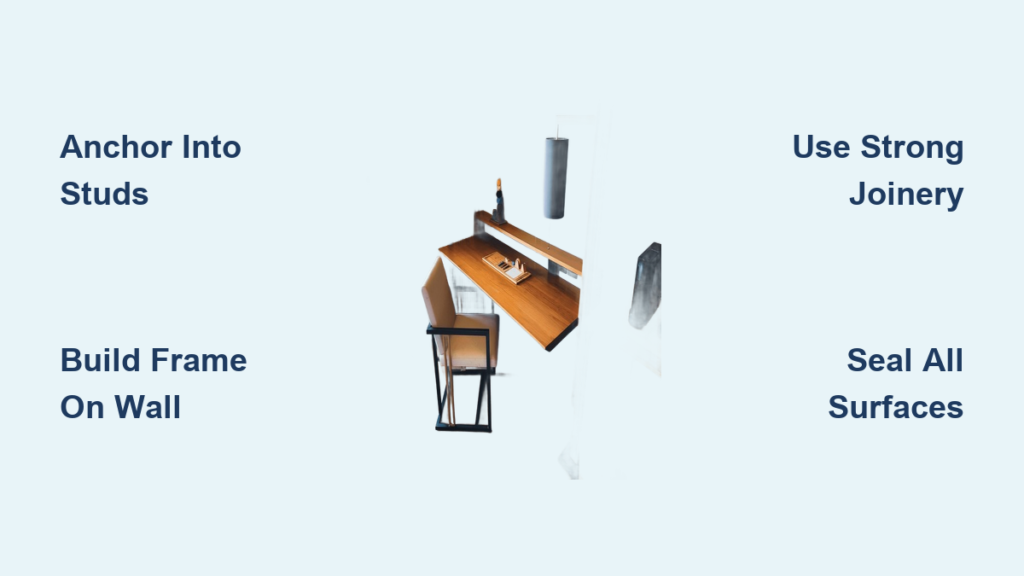
Ever feel like your home office is eating up floor space with clunky, legged desks? A hanging desk—also called a floating or wall-mounted desk—solves that. It is sleek, space-saving, and surprisingly strong when built right. This guide shows you exactly how to build a hanging desk that supports monitors, laptops, and daily wear without sagging or wobbling.
We will walk through every phase: planning your dimensions, locating wall studs, building the frame directly on the wall, gluing up your desktop, shaping edges, routing cable channels, and finishing like a pro. You will also get pro tips on hidden fasteners, trim concealment, and long-term durability.
Plan Your Desk Dimensions
Getting your dimensions right from the start prevents costly mistakes later. A hanging desk needs to hit standard ergonomic height while leaving room for your desktop thickness.
Set the Right Desk Height
Standard desk height is 29 inches from the floor, ideal for ergonomics. But your desktop thickness changes where you mark the wall. For a typical 1.5-inch thick butcher block, mark your level line at 27.5 inches so the final surface hits 29 inches. Some builders use 29¼ inches as a starting point, adjusting slightly based on user height. Always measure from the subfloor or baseboard, not carpet, to avoid inconsistencies.
Choose Depth and Length
Most hanging desks are 24 inches deep, giving enough room for a keyboard, mouse, and monitor without crowding the room. Frame your 2×4s to 3 inches thick by planing them down. This reduces visual bulk while maintaining strength. For length, measure both ends of the wall independently. Rooms are not always square—one side might be 80 inches while the other is 79.5 inches. Use a scribe cut with a jigsaw to fit perfectly.
Design for Your Use Case
Consider your primary use when planning dimensions. Here are the priority areas for different setups:
- Home office: Prioritize cable ports and monitor support
- Craft station: Use epoxy resin or sealed hardwood for wipeable durability
- Gaming setup: Plan for dual monitors and hidden power strips
- Small apartment: Mount under a window or in an alcove
Locate and Mark Wall Studs
This step is non-negotiable. A hanging desk fails if you rely on drywall anchors instead of structural studs.
Find Studs with a Reliable Finder
Use an electronic or magnetic stud finder to locate wood or metal studs behind drywall. Standard spacing is 16 inches on center, but always verify. Some walls vary. Mark each stud with a pencil X so you do not lose track. Never rely on drywall anchors. They cannot handle long-term load. All heavy connections must go into studs.
Draw a Level Installation Line
Use a laser level or high-quality bubble level to draw a continuous horizontal line around the perimeter. This ensures your desk sits perfectly flat. Recheck the level after every few screws during frame installation. Even a slight tilt becomes obvious once the desktop is on.
Pro Tip: Warped 2×4s can throw off alignment. Inspect each piece before use by setting it on a flat surface to check for twist or bow.
Build the Wall Frame In Place

The frame is the backbone of your hanging desk. Building it directly on the wall, rather than pre-assembling, ensures a flush fit even in non-square rooms.
Frame Design Using 2×4s
Construct the frame from 2×4 pine, planed to 3 inches thick for a clean profile. The frame consists of:
- Back rail: Horizontal 2×4 mounted along the wall
- Front rail: Parallel 2×4 forming the front edge
- Cross braces: Vertical 2×4s spaced every 12 to 16 inches for support
For a 24-inch deep desk, cut braces to 21 inches to allow space for front and back boards.
Step-by-Step Frame Installation
-
Attach the back rail first: Position it on your level line. Secure with 3½-inch deck screws into every stud. Recheck level after each screw.
-
Install end braces: Use vertical 2×4s at both ends. Attach to the back rail with 2½-inch pocket-hole screws using a Kreg jig. If mounting in a corner, screw into side-wall studs too.
-
Add the front rail: Connect it to the top of the end braces. Use a level. Do not tighten fully until alignment is perfect.
-
Insert intermediate braces: Space them evenly. Seven braces total is ideal for stability, especially in homes with kids. Attach to back rail with pocket screws, then screw into the front rail.
Warning: Never skip stud anchoring. A failed build using flimsy brackets and drywall anchors proves it is not worth the risk.
Construct the Desktop
The desktop is the visible centerpiece. Whether you use solid hardwood or pre-made butcher block, proper joinery ensures it stays flat and strong.
Prepare and Arrange the Boards
Use solid hardwood like walnut, oak, or maple, or a pre-made butcher block at 1.5 inches thick. Select boards of equal thickness—joint or plane if needed. Lay them out face-up, arranging grain to minimize warping. Flip adjacent boards in an S-pattern. This balances internal tension and reduces Seasonal movement.
Choose the Right Joinery Method
Biscuit Joinery (Best for Beginners)
Cut slots every 8 to 12 inches along board edges with a biscuit joiner. Apply wood glue to slots, biscuits, and mating surfaces. Biscuits help alignment but do not add major strength. Glue and clamping do the real work.
Domino Joinery (Advanced, High-Strength)
Use a Festool Domino for floating tenons. This method is stronger than biscuits and allows angled cuts like 45-degree miters. Insert two tenons per joint. Glue all surfaces before clamping.
Dowel or Skip Joinery
Dowels require precise drilling but offer excellent strength. For stable woods like pre-dried walnut, you can skip biscuits and rely on glue and pressure alone.
Glue Up the Desktop
-
Dry-fit first: Set up clamps, cauls, and alignment system. Use taped straight boards across the surface to prevent glue bonding.
-
Apply glue generously: Coat all mating edges. Work quickly before glue skins over.
-
Clamp with even pressure: Alternate clamps top and bottom. Space every 8 to 12 inches.
-
Wipe excess glue immediately: Use a damp cloth. Let cure 24 hours minimum in a flat, warm space.
Shape the Desktop Edges
The edge profile defines your desk’s style. Choose based on comfort and aesthetics.
Add a Chamfer for Comfort
Use a router with a 45-degree bit or hand plane to chamfer the front edge. This softens the look and feels better when leaning on it. Some builders chamfer both top and bottom for a refined profile.
Create a Waterfall Edge (Optional)
For a modern 45-degree mitered edge, use a track saw or circular saw with guide. Cut the front at 45 degrees, then flip the board to maintain grain direction. If grain misaligns, make both cuts on the same side, then reverse the piece.
Roundover or Square Edge
- Roundover: Softened edge with router, less common in modern builds
- Square edge: Clean, industrial look with no shaping needed
Cut Cable Management Features

Modern desks need smart cable routing. Plan these cuts during construction, not after.
Drill Monitor and Cable Ports
- Monitor stand hole: Start with a 20mm pilot, then expand with a hole saw
- Cable port: Use a 70mm hole saw near the back edge
- Grommet opening: Match your grommet size exactly
Route Hidden Cable Channels
Use a router with a ¾-inch bit to carve a ¾-inch wide by ½-inch deep channel along the underside or back edge. Oversize slightly. Future cables may be bulkier. This lets you route power and data out of sight.
Pro Tip: Plan cable routing during frame construction. Leave space under the desk for power strips and conduit.
Mount the Desktop Securely
The mounting method determines whether your desk looks custom or cobbled together.
Use Hidden Pocket Screws
Drill pocket holes into the bottom of the 2×4 frame using a Kreg jig. Place the desktop on the frame. Add weight like books or tools to hold it in place. Drive 2-inch screws upward from the frame into the desktop. No visible hardware.
Reinforce If Needed
- Angle brackets: Add underneath for extra support
- No fasteners: Some builders skip screws if using heavy butcher block on a fully supported frame. This works if weight and contact area are sufficient
User Feedback: One builder reported zero movement after two years with no fasteners, thanks to full-frame support and stud anchoring.
Add Fascia for a Clean Finish
The fascia covers the 2×4 frame and gives your desk a polished look.
Install Front Trim
Use ½-inch shiplap, PVC trim, or pole wrap to cover the front of the 2×4 frame. Rip to desired width. Paint to match the wall or desk. Secure with a brad nailer, faster than screws.
Conceal Seams and Gaps
Fill nail holes with paint-matched caulk or use leftover roller paint for a seamless look. Leave a small gap between wall and desk as an architectural detail. This adds depth.
Apply a Durable Surface Finish
The finish protects your desktop and defines its look. Choose based on maintenance preferences and durability needs.
Sand Through Progressive Grits
Start with 80-grit, then move to 120, 180, 240, and 400 for a glass-smooth finish. For pre-made butcher block, start at 150. Mark the surface with pencil lines to ensure full coverage. Use a random orbit sander to avoid swirls.
Remove Dust Before Finishing
After final sanding, blow out pores with an air compressor. Wipe with a tack cloth. This removes embedded particles that ruin smooth finishes.
Choose the Right Finish
| Finish | Best For | Reapplication |
|---|---|---|
| Wipe-on polyurethane | Durability, long life | Every 3-5 years |
| Hard wax oil | Natural feel, no yellowing | Every 6-12 months |
| Water-based urethane | Clear, low odor | Sand and recoat every few years |
| Epoxy resin | Craft tables, waterproofing | One-time pour, high gloss |
Apply Finish Like a Pro
Use foam applicator pads, originally for cars but perfect for stain and poly. Apply thin, even coats. Lightly sand between coats with 220-grit. Elevate the desktop on ¾-inch spacers during curing to prevent sticking. Seal all surfaces—top, bottom, and edges—to prevent moisture warping.
Integrate Smart Cable Management
A clean desk needs hidden cables. Build this into the frame during construction.
Build It Into the Frame
During construction, leave a cavity under the desk. Mount a surge protector underneath using adhesive clips or screws.
Use Concealed Routing
- Adhesive cable clips keep cords tidy
- Raceways or conduit hide multiple cables
- In-wall conduit for permanent, invisible power access
Ensure Long-Term Stability
Your desk should last years without sagging or loosening. Proper construction is the key.
Test Load Capacity
A properly stud-mounted 2×4 frame supports 200+ pounds, enough for desktop, monitors, laptop, and supplies. No sagging occurs when anchored into multiple studs, fully supported across 24-inch depth, and built with solid wood or thick butcher block.
Prevent Wood Movement
In solid slabs, allow for seasonal expansion. Use floating mounts or stretcher plates. Avoid over-tightening screws. Seal all wood surfaces.
Avoid Common Mistakes
- Skipping stud anchoring leads to collapse risk
- Using drywall anchors causes long-term failure
- Not pre-drilling splits 2×4s
- Rushing glue-up creates weak joints
Maintain Your Floating Desk
Regular maintenance keeps your desk looking new for years.
Clean With Care
Wipe with a damp cloth and mild soap. Avoid harsh chemicals that degrade finishes.
Refresh the Surface
- Hard wax oil: Reapply every 6-12 months
- Polyurethane: Lightly sand and re-coat every 3-5 years
- Spot repairs: Fill scratches with matching wood filler, then re-sand and finish
Inspect Annually
Check wall screws for looseness, especially in high-vibration areas near speakers or doors. Tighten if needed.
Frequently Asked Questions About Building a Hanging Desk
How much weight can a hanging desk support?
A properly built hanging desk anchored into wall studs supports 200+ pounds. This handles desktop computers, multiple monitors, and office supplies with no sagging.
Can I install a hanging desk without finding studs?
No. Drywall anchors cannot handle the long-term load from a desk. You must locate and anchor into wall studs for safety and stability.
What tools do I need to build a hanging desk?
Essential tools include a stud finder, laser level, Kreg pocket hole jig, drill, clamps, router, and random orbit sander. A biscuit joiner helps with desktop assembly but is not required.
How long does it take to build a hanging desk?
Plan for one weekend for frame installation and another weekend for desktop construction, sanding, and finishing. This timing assumes proper glue cure time of 24 hours between steps.
Do I need to seal the underside of the desktop?
Yes. Seal all surfaces including the bottom and edges. This prevents moisture absorption and uneven warping that can distort your desktop over time.
Key Takeaways for Building a Hanging Desk
Building a hanging desk is not just about saving space. It is about creating a clean, durable, and personalized workspace. By anchoring into studs, building the frame in place, using solid joinery, and finishing thoroughly, you will get a desk that looks custom and performs flawlessly.
The most critical steps are: always mount into wall studs, build the frame directly on the wall to handle uneven surfaces, use proper joinery and glue for a stable desktop, and seal all surfaces to prevent warping. Whether you are a beginner with a Kreg jig or an advanced woodworker using Domino joinery, this method scales to your skill level. Start measuring, level up, and build something that lasts.





