
You’re sitting at your desk when you remember the advice: “Stand more during the day.” So you adjust your workspace, and within seconds, your desk rises smoothly to standing height. But how does a standing desk work to move so effortlessly while supporting monitors, laptops, and coffee mugs? The answer lies in a blend of mechanical engineering, smart electronics, and ergonomic design.
A standing desk works by replacing fixed legs with an adjustable lifting mechanism that raises and lowers the desktop at the push of a button or turn of a crank. Whether electric, manual, or a desktop converter, each type uses a distinct system to enable seamless transitions between sitting and standing. This article breaks down exactly how these systems function, from motorized dual-leg frames to pneumatic lifts and add-on converters.
Electric Standing Desks: Motorized Height Control
Electric standing desks dominate the market for comfort and convenience. With just a tap, they lift your entire workspace to ideal ergonomic height. Behind this simplicity is a precision-engineered system of motors, columns, and control logic.
Dual vs. Single Motor Systems
The core power source in electric desks is the motor, located inside the desk legs. Two configurations exist: dual-motor and single-motor setups.
Dual-Motor Design:
Each leg houses its own motor, operating independently. This allows higher weight capacity up to 140 kg, faster adjustment speeds, and better balance under uneven loads. Since there is no mechanical linkage, both sides stay level using electronic synchronization. These desks excel in heavy-duty setups like dual monitors or large wooden tops.
Single-Motor Design:
One motor drives both legs through a connecting shaft or belt. While cost-effective, it has trade-offs including slightly slower lift speed, potential for uneven movement if the drive shaft wears, and lower maximum load typically up to 113 kg. However, high-quality single-motor desks often outperform budget dual-motor models. The key is not motor count but build quality.
Pro Tip: Do not assume dual motors are always better. A premium single-motor desk with strong actuators may be more reliable than a low-tier dual setup.
Telescoping Legs: 2-Segment vs. 3-Segment
The legs of an electric desk are not solid. They are telescoping tubes that extend like a telescope, determining how low and high the desk can go.
Two-Segment Legs:
Made of two nested tubes with maximum extension approximately twice the retracted length. Typical range is 64.5 cm to 129 cm. These are more affordable and widely used, ideal for average-height users but limit flexibility for very tall or short individuals.
Three-Segment Legs:
Three nested tubes per leg can extend beyond double the shortest length. Broader height range reaches as low as 60 cm and as high as 130 cm. This gives better ergonomic fit across diverse users and allows lower sitting positions, perfect for compact spaces or adjustable chairs.
Example: The FlexiSpot E7 Pro uses 2-segment legs, while higher-end models like the FlexiSpot EN1B use 3-segment for wider adjustability.
Screw-in-a-Screw Actuator Mechanism

Inside each leg is a linear actuator that converts motor rotation into vertical motion using a clever screw-in-a-screw design. A worm-gear motor spins an outer threaded screw, and the outer screw turns, engaging a plastic nut fixed inside the middle tube. The nut moves linearly, pushing the inner tube up or down. A barb and keyway system prevents rotation while allowing smooth sliding, ensuring only vertical movement occurs even under load. Newer models use a removable plastic sleeve instead of crimped metal, making repairs easier and reducing manufacturing costs.
This compact, high-force mechanism enables powerful lifting in a narrow leg profile, critical for sleek desk frames.
Electronic Synchronization and Stability
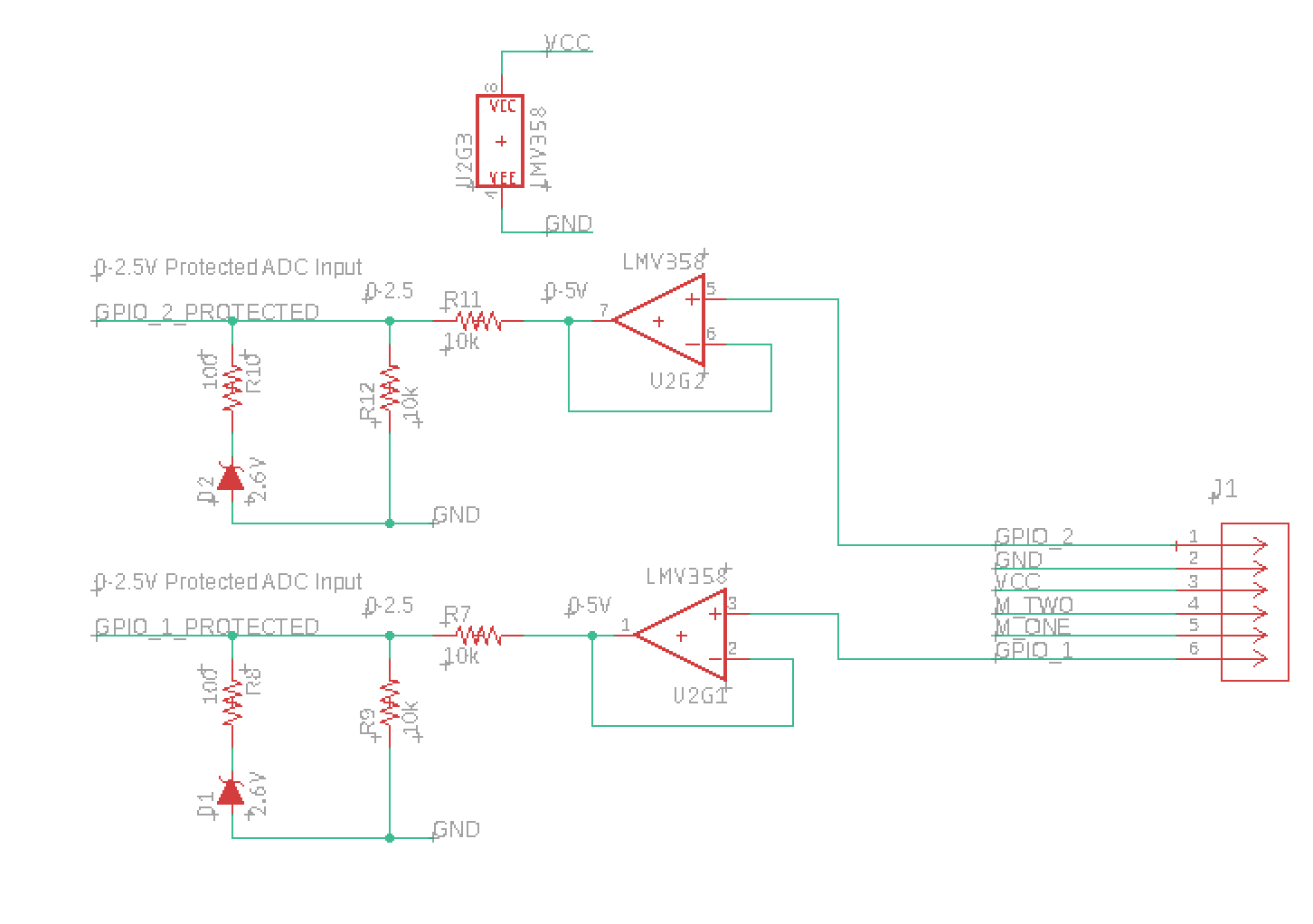
Without a physical axle connecting the legs, dual-motor desks rely on electronics to stay level. Here is how they do it.
Encoder Feedback for Level Movement
Each motor includes an encoder, a sensor that outputs two phase-shifted signals called quadrature. These signals tell the control box which direction the motor is turning, how fast it is moving, and how far it has traveled incrementally. The control system compares data from both motors in real time. If one side lags due to a heavy monitor on one side, the system boosts power to that motor to catch up. The result is a desk that stays perfectly level even with unbalanced loads.
Load Compensation and Imbalance Handling
When you place a laptop off-center, one leg bears more weight. The motor on that side slows down slightly. The encoder detects this lag, and the controller increases voltage to maintain sync. This active load compensation prevents wobble and protects the motor from strain.
What Happens During a Motor Failure:
If one motor disconnects, the desk may display an error code like E22 on FlexiSpot models. It will still move the working side until it hits the floor, then re-zero itself using that position as a reference. While not ideal, this fail-safe design maintains usability and prevents permanent misalignment.
Control Panel and User Interface
The control box is your command center for adjusting height and storing preferences.
Basic Controls
The standard interface includes up/down buttons to raise or lower the desk, memory presets to save 2 to 4 favorite heights like sitting, standing, or collaboration, a safety lock to prevent accidental adjustments, and a backlit display showing current height in cm or inches. Pressing M and a number saves a position, pressing the number recalls it instantly.
Advanced Features
Higher-end models offer Bluetooth connectivity to smartphone apps, posture reminders that alert you to stand every 30 minutes, and usage tracking showing how many sit/stand cycles you complete per day. Some even integrate with smart office systems or voice assistants.
How PWM Controls Speed
The desk uses Pulse Width Modulation to regulate motor speed. Upward motion uses varying duty cycle to adjust how fast the motor runs. Downward motion uses a second signal line to manage reverse current and act as a brake, ensuring smooth, controlled descent. This allows quiet, energy-efficient operation without jerky movements.
Power and Safety Systems
Standing desks are designed to be safe, efficient, and resilient even during power issues.
Power Requirements and Consumption
These desks plug into standard 110 to 240V AC outlet with operating power of 100 to 200 watts during movement and standby draw as low as 0.1W on some models like the Desky Dual Rubberwood. Annual energy cost is less than $3 per year even with 10 adjustments daily. Some models include battery packs for cordless operation, though they may reduce lifting speed or load capacity.
Behavior During Power Outage
When power cuts, the desk stops moving but remains locked in place. There is no risk of collapse due to mechanical self-locking. High-end units retain height memory via non-volatile storage and resume correct position once power returns. You are never stranded mid-air. The desk is always safe when the power cuts out.
One-Way Spring Brake System
Built into the actuator is a spring-loaded brake that tightens when compressed to resist upward force and loosens when extended to allow controlled lowering. This prevents the desk from sinking under its own weight or collapsing under load, no need for motors to stay engaged.
Overload Protection
Motor controllers monitor current draw. If the desk exceeds its weight limit, the system reduces power or shuts down to prevent motor burnout and gear damage. Always check load capacity before loading heavy equipment.
Manual Standing Desks: Crank and Lever Systems
Not all standing desks need electricity. Manual models use human-powered mechanisms for reliable, low-cost height adjustment.
Crank-Operated Desks
When you turn a hand crank, gears slowly lift the desktop. The crank rotates a lead screw or gear train, and motion transfers to lifting columns or scissor arms. Full height change requires 20 to 40 turns. These work best for users who change positions infrequently.
Pros and Cons:
Manual crank desks require no power, are durable lasting over 10 years, and cost less. However, they adjust slowly, can feel tiring with heavy loads, and risk uneven lifting if the load is unbalanced.
Ideal for home offices where power access is limited or not desired.
Pneumatic and Spring-Tension Lifts
Some manual desks use gas springs similar to car trunk lifts. You pull a lever to release pressure, and gas assists in lifting the desk in seconds, then locks automatically at desired height. Used in models like the Desky Manually Adjustable Air Lift Desk, these offer faster than cranks and smooth, low-effort motion with a self-locking mechanism. Limitations include limited height range, less precise positioning, and unsuitability for very heavy desktops.
Desk Converters: Top-Mounted Adjustability
Cannot replace your desk? A converter offers a plug-and-play alternative.
How Converters Work
These sit on top of your existing desk and elevate part of your workspace. Mechanisms used include scissor lift, gas spring, or small electric actuators. Only the monitor, keyboard, or upper platform rises while your desk stays put.
Who Should Use a Converter
Best for:
Renters who cannot modify furniture, trial users testing sit-stand benefits, hot-desking environments, and budget buyers in the $100 to $400 range.
Drawbacks:
Converters reduce usable desk space, sitting height starts elevated which may cause wrist strain, limited weight capacity max approximately 23 kg, and less stable than full standing desks.
Tip: Measure your current desk depth. Converters need clearance to raise fully without hitting monitors.
Weight Capacity and Structural Design
Not all standing desks can handle the same load. The frame and mechanism determine strength.
Load Capacity by Type
| Desk Type | Max Weight |
|---|---|
| Dual-Motor Electric | Up to 140 kg (310 lb) |
| Single-Motor Electric | 68–113 kg (150–250 lb) |
| Manual Crank | 50–80 kg (110–175 lb) |
| Desk Converter | 11–23 kg (25–50 lb) |
| Floating Wall Desk | 45–90 kg (100–200 lb) |
Always leave a 10 to 20% safety margin. If your gear weighs 30 kg, pick a desk rated for at least 36 kg.
Frame Stability and Wobble Prevention
Wobble increases at full extension. To minimize it, use wider leg base for more stability, thicker steel or aluminum tubing for less flex, and crossbars between legs for improved rigidity. High-end frames like the FlexiSpot E7 Pro use industrial-grade steel and dual-motor synchronization to eliminate noticeable shake even at max height.
Visual Cue: If the desk wobbles when typing, it may be overloaded or poorly assembled.
Height Ranges and Ergonomic Fit
A desk must accommodate your body dimensions.
Standard Height Ranges
Two-segment desks typically range from 64.5 cm to 129 cm. Three-segment desks range from approximately 60 cm to 130 cm. Desk converters add 30 to 40 cm above the base desk.
Ideal Ergonomic Heights:
For sitting, position elbows at 90 degrees with hands on keyboard. For standing, the desk top should be at elbow height when arms hang naturally. For most adults 155 to 190 cm tall, a range of 60 to 130 cm covers both positions comfortably.
Pro Tip: Use an online height calculator or test with a tape measure before buying.
Longevity, Maintenance, and Warranty
Standing desks are built to last but only with proper care.
Motor Lifespan: 15,000 to 50,000 Cycles
One cycle equals one full up and down. With 4 adjustments per day, 15,000 cycles equals over 10 years of use, and 50,000 cycles equals 30 plus years. Failure usually comes from overloading, liquid spills damaging electronics, or poor wiring from repeated bending.
Maintenance Tips
For electric desks, wipe the control panel regularly, keep liquids away, check for wobble monthly, and dust under the desk to prevent debris buildup. For manual desks, lubricate crank gears annually, inspect linkage for wear, and tighten bolts if movement feels loose.
Warranty Coverage
Most premium brands offer 5 to 15 years on motors and frame, with lifetime warranties on some manual frames. Always register your product. Warranties often require proof of purchase and registration.
Who Should Use Which Type
Choosing the right desk depends on your needs.
Electric Desks Are Best For
Frequent position changers every 30 to 60 minutes, heavy setups like dual monitors or gaming rigs, shared workspaces with memory presets for multiple users, and home or corporate offices.
Manual Desks Suit
Budget buyers, users who stand occasionally, off-grid or low-power environments, and those prioritizing long-term reliability.
Converters Work Well When
Renting or cannot replace furniture, testing sit-stand benefits, working in tight spaces, or needing a portable solution.
Frequently Asked Questions About Standing Desks
How does a standing desk switch between sitting and standing height?
A standing desk uses a lifting mechanism, either electric motors or manual cranks, to extend or retract telescoping legs. Electric models adjust at the touch of a button while manual models require turning a crank or releasing a lever to change height.
Are dual motors better than single motors for standing desks?
Dual motors offer higher weight capacity and faster adjustment, but motor quality matters more than quantity. A premium single-motor desk often performs better than a budget dual-motor model.
What happens if the power goes out while using an electric standing desk?
The desk stops moving but remains locked in place due to the mechanical self-locking mechanism. No risk of collapse exists, and the desk resumes correct position once power returns.
How much electricity does a standing desk use?
Standing desks consume 100 to 200 watts during movement and as low as 0.1W on standby. Annual cost is typically less than $3 even with frequent daily adjustments.
How long do standing desk motors last?
High-quality motors are rated for 15,000 to 50,000 cycles. With 4 adjustments daily, a 15,000-cycle motor lasts over 10 years.
Can I use a standing desk without electricity?
Yes, manual standing desks use hand cranks or pneumatic levers to adjust height. These require no electricity and often last longer due to fewer electronic components.
Key Takeaways for Understanding How Standing Desks Work
A standing desk works by combining mechanical lift systems with smart engineering to create a dynamic, health-supporting workspace. Whether powered by electricity, muscle, or gas pressure, each design transforms static furniture into an active tool for better posture, focus, and long-term well-being. Understanding the mechanics, from dual motors and encoders to scissor lifts and spring brakes, empowers you to pick the right desk and use it safely, efficiently, and confidently. The best choice depends on your budget, how often you plan to switch positions, and what equipment you need to support. Take time to assess your workspace needs before purchasing, and you will enjoy the ergonomic benefits for years to come.





