
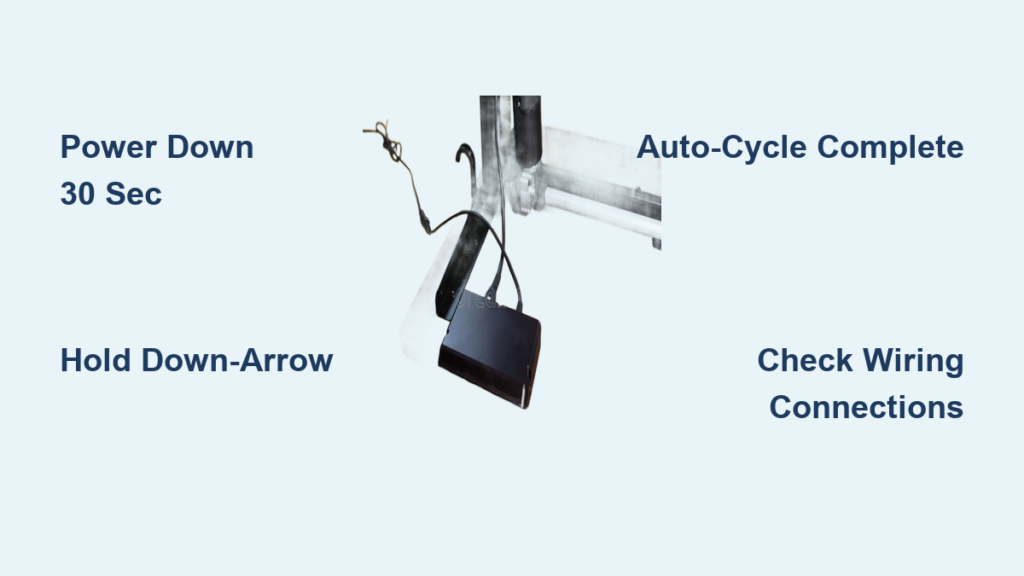
Is your electric standing desk unresponsive, stuck at one height, or failing to save preset positions? A motor reset can solve these common issues and restore smooth operation. The standing desk motor reset process clears temporary glitches in the control system, recalibrates the lift mechanism, and ensures your desk responds correctly to up and down commands. Whether you own a popular brand like Uplift, Fully, or Vari, or a budget-friendly model, this guide covers the universal reset method that works across most electric standing desks.
You will need just 60 seconds and no special tools. Just follow the steps carefully to get your desk working like new.
Manual Reset Steps

Follow this proven sequence to successfully reset your standing desk motor. Skipping or rushing steps, especially the 30-second power-off period, can cause the reset to fail.
Clear the Work Area
Before starting, remove any objects stored beneath the desk. Items like keyboard trays, CPU towers, or drawers can obstruct the frame as it lowers. An obstructed reset may trigger error mode or damage the motor. Ensure both legs have a clear path to descend fully.
Power Down for 30 Seconds
Unplug the desk’s power cord from the wall outlet. This cuts power to the motor and control box, allowing the system to discharge residual electricity. Wait exactly 30 seconds. This step is critical. Shorter waits may not clear the memory, while longer waits offer no added benefit. Use a timer to be precise.
Check Wiring Connections
While the desk is unplugged, inspect all cables. Ensure the control panel cord is firmly seated. Verify motor wires are securely attached to the control box. Look for frayed, bent, or loose connectors. A poor connection can mimic motor failure. Gently reseat each plug to ensure contact. Avoid tugging wires. Press straight in to avoid damage.
Reconnect Power Supply
After 30 seconds, plug the power cord back into the outlet. The control panel may light up immediately. If not, check the outlet with another device to confirm power delivery. Some models take 2 to 3 seconds to boot up after reconnection.
Hold Down-Arrow to Reset
Press and hold the down-arrow button on the control pad. Keep holding it as the desk begins to lower. Do not release the button, even briefly, until the full reset cycle completes.
Complete the Auto-Cycle
As the desk reaches its lowest point, it will dip slightly lower than normal. This is a soft “bottoming out.” Then it will rise up a few inches automatically and stop and remain idle. This movement confirms the motor has recalibrated its travel limits. Only now should you release the down-arrow button.
Post-Reset Verification
After resetting, test your desk to confirm success. Use both manual and preset controls, if available, to raise and lower the desktop smoothly.
Test Full Range of Motion
Press the up-arrow and let the desk rise to its maximum height. Hold the down-arrow to return it to the lowest position. Repeat 2 to 3 times to ensure consistent speed and alignment. If one leg lags or stops early, repeat the reset. Misalignment often resolves after a second attempt.
Re-Set Height Presets
If your desk has memory presets, reprogram them now. Move the desk to your desired sitting height. Press and hold the M or Set button until it beeps or flashes. Press the number to save the position. Repeat for standing height. Presets are erased during a reset, so this step restores convenience.
Why Resetting Fixes Common Issues
A motor reset addresses firmware-level hiccups that prevent normal operation. Understanding how it works helps you diagnose future problems.
Clears Firmware Glitches
Over time, the desk’s control system may misread position data or fail to communicate with the motor. A reset forces a soft reboot, clearing corrupted memory and restoring default logic. This is similar to restarting a computer.
Recalibrates Travel Limits
Each time you reset, the motor relearns the desk’s minimum and maximum heights. This prevents over-travel errors and ensures safety stops function correctly.
Restores Synchronized Movement
If one side moves slower or stops early, a reset helps realign both motors. It ensures they start from the same reference point, reducing wobble and strain on the frame.
Troubleshooting: Reset Did Not Work
If the desk still will not move or behaves erratically after a proper reset, investigate these common culprits.
No Power to Control Panel
Check the outlet by plugging in a lamp or charger to verify power. Inspect the power supply for a blown fuse in the AC adapter. Test the cord to ensure it is not pinched or damaged behind furniture. A dead control panel usually indicates a power delivery issue, not motor failure.
Motor Makes Noise But Desk Will Not Move
If you hear a humming sound, the motor is receiving power. The lift mechanism may be jammed. Check for debris or bent crossbars under the desk. Try manually lifting the desktop slightly while pressing the up-button. If it starts moving, the motor needs extra torque due to friction. Lubricate the inner columns.
One Leg Stuck or Uneven
Perform a second reset. Sometimes synchronization needs reinforcement. Ensure the desk is on a level floor. Check that both legs are tightened and not bent. Persistent imbalance may require a manual realignment procedure. Consult your model’s manual.
Error Codes on Display
Some desks show E1 for overload or obstruction. E2 indicates motor communication error. E4 means limit switch failure. These often clear after a reset. If not, power down and check wiring. Persistent codes may require manufacturer support.
Prevent Future Motor Issues
Keep your standing desk running smoothly with simple maintenance habits.
Avoid Overloading the Desktop
Most desks support 150 to 250 pounds. Exceeding the limit strains the motor and trips safety sensors. Keep heavy monitors, printers, or equipment within rated capacity.
Lubricate Lift Columns Annually
Apply a silicone-based lubricant to the inner steel tubes once per year. This reduces friction, noise, and motor wear. Avoid oil-based lubes. They attract dust.
Use Presets Gently
Do not slam buttons repeatedly. Let the desk complete each movement before issuing a new command. Rapid toggling can confuse the control system.
Power Down Occasionally
Unplug the desk for 30 seconds once a month, even if it is working fine. This prevents memory buildup and extends controller life.
When to Contact Support
If you have completed the reset correctly and the desk still will not move, contact the manufacturer. Possible issues include a failed motor or control box, a blown internal fuse, or a damaged lift column. Most brands offer 5 to 7 year warranties. Keep your proof of purchase handy.
Frequently Asked Questions About Resetting Standing Desk Motors
How long does a standing desk motor reset take?
The entire process takes about 60 seconds. The most critical step is the 30-second power-down period. Rushing this timing can cause the reset to fail.
Will resetting my desk erase the height presets?
Yes, height memory presets are erased during a reset. You will need to reprogram your sitting and standing positions after completing the reset procedure.
Why does my desk need to bottom out during reset?
The bottoming out motion is how the motor learns its lowest position. This recalibration ensures the desk stops at the correct minimum height and prevents damage from over-travel.
Can I reset my standing desk without the control panel?
No, the reset requires the down-arrow button on the control pad. If your control panel is damaged or unresponsive, you may need to replace it before performing a reset.
How often should I reset my standing desk motor?
Reset whenever you notice issues like unresponsiveness, uneven movement, or preset failures. For preventive maintenance, consider resetting once every few months or whenever you relocate the desk.
What should I do if the reset does not fix my desk?
If the reset fails, check power connections and look for error codes. If problems persist after troubleshooting, contact the manufacturer for warranty support or professional repair.
Key Takeaways for Resetting Your Standing Desk Motor
Resetting your standing desk motor is a fast, effective fix for unresponsiveness, uneven movement, or preset failures. By following the 30-second power-down rule and holding the down-arrow through the full auto-cycle, you restore factory calibration and clear hidden errors. Always clear the work area and check wiring connections before starting the reset process.
Perform this reset whenever you notice odd behavior, and make it part of your routine maintenance. With proper care, including avoiding overloads and annual lubrication, your electric desk can deliver smooth, reliable performance for years.





