
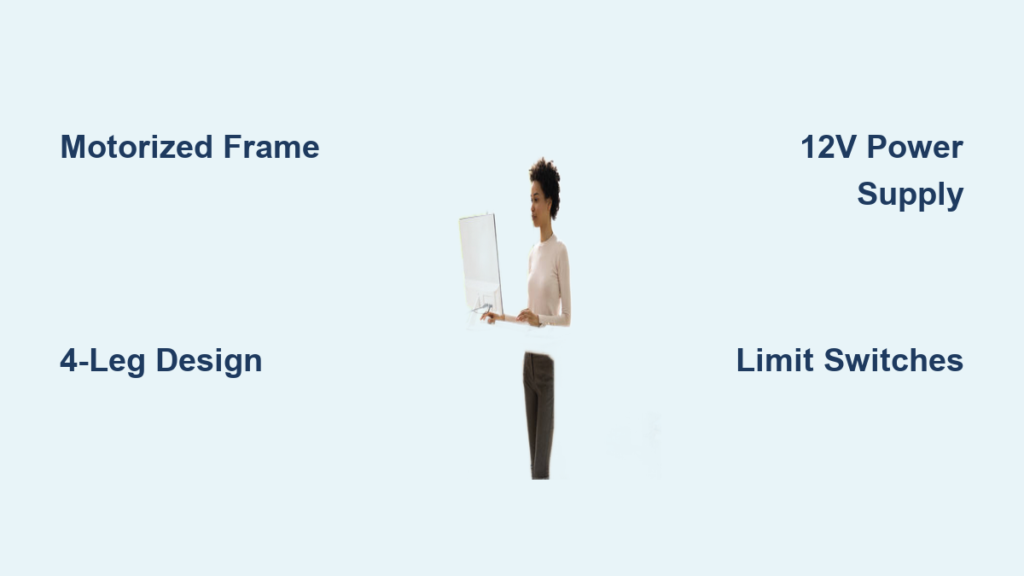
Standing up from your desk after hours of work only to feel stiff, sore, or sluggish? You are not alone. Millions of remote workers and office professionals are discovering the benefits of height adjustable desks to combat the health risks of prolonged sitting. Instead of paying $500 to $1,500 for a commercial model, you can build your own custom sit-stand desk at a fraction of the cost. This guide covers every proven method, from pre-built electric frames to DIY pipe systems and advanced programmable controls, so you can create a personalized workstation that fits your budget, skill level, and ergonomic needs.
Choose Your Build Approach Based on Your Budget and Skills
Not all height adjustable desks require complex engineering. Your best method depends on how much you want to spend, your technical skill level, and how often you plan to switch between sitting and standing throughout the day.
Electric Motorized Desk for Daily Use
If you want seamless, one-touch sit-stand transitions multiple times a day, go with a motorized system. This is the most popular approach for home offices, offering quiet, reliable adjustment with memory presets. Most DIY builders use pre-built electric desk frames like Yaasa, Fully Jarvis, or FlexiSpot, which handle the complex mechanics so you can focus on aesthetics and customization. These frames include dual motors, control boxes, and programmable panels. Simply attach your preferred tabletop, and you are done. This method balances cost, stability, and convenience perfectly.
Manual Crank or Screw-Jack System for Budget Builds
For infrequent adjustments, a manual system saves money and complexity. Options include hand-cranked threaded rods or Kee Klamp pipe fittings with set-screw clamps. These require physical effort to raise or lower but eliminate electrical components entirely. The Kee Klamp method uses modular steel tubing and fittings to create an industrial-style frame that is easy to reconfigure. While slower than electric, it is durable, disassemblable, and perfect for shared or evolving workspaces.
Two-Position Fixed Desk for Minimalists
Want zero moving parts? Build two separate desks, one at sitting height around 75 cm and one at standing height around 110 cm, and simply swap between them. Use wall-mounted brackets or foldable legs to save space. This ultra-simple method costs under $150 using IKEA parts or scrap wood. It works great for small apartments or for testing whether standing improves your focus before investing in motorization.
Select the Right Frame and Actuation System
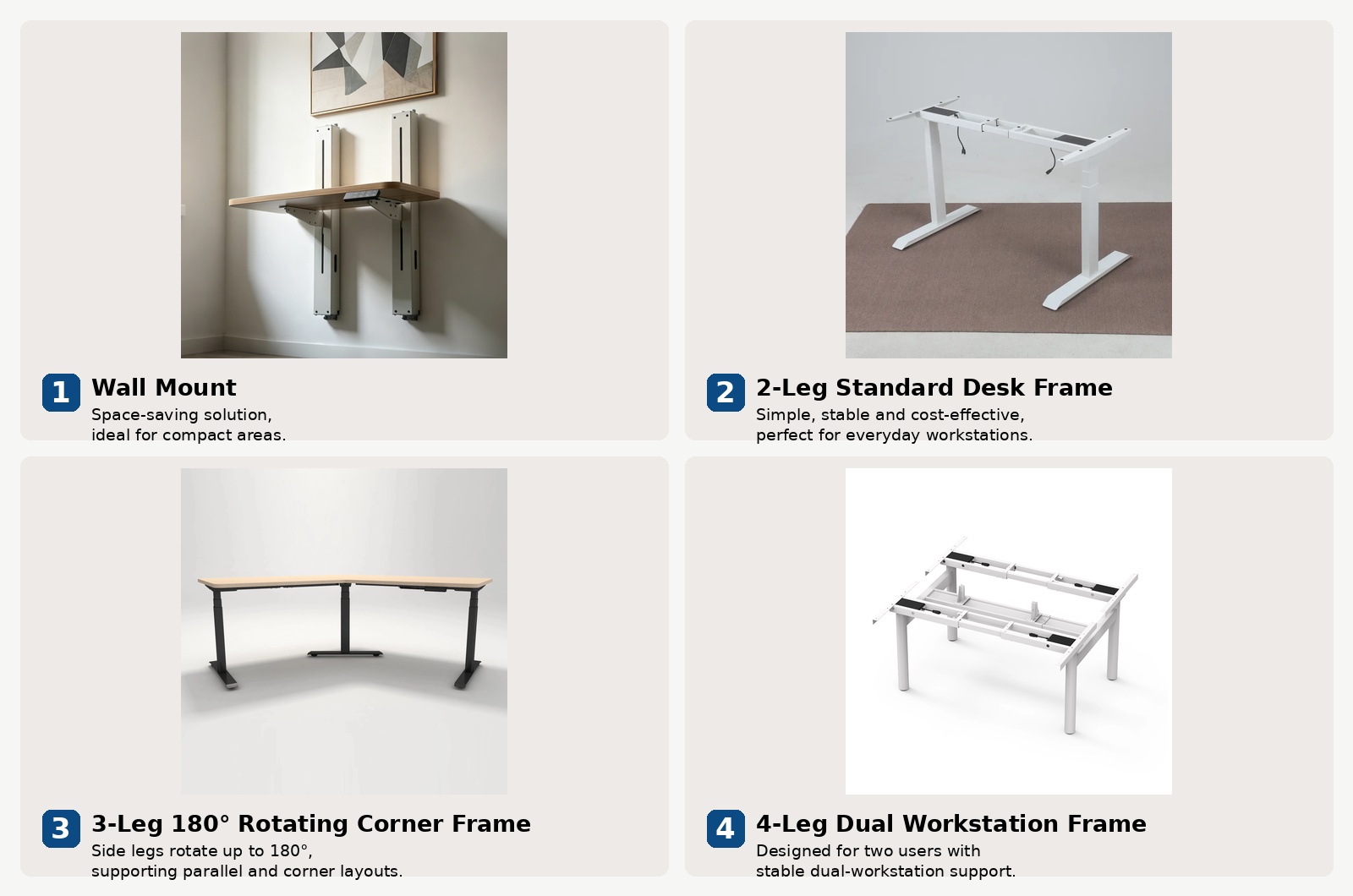
The frame is the backbone of your desk. Choosing the right one ensures stability, smooth motion, and long-term reliability for daily use.
Use Pre-Built Electric Frames for Best Results
Skip the engineering headaches. Top-tier pre-built frames deliver professional performance with minimal effort.
Yaasa Desk Frame Specifications
Yaasa offers a height range of approximately 60 to 125 cm with a 100 kg load capacity. Features include dual motors, 4 memory presets, and quiet operation. This frame is best for home offices where ergonomic precision matters most. Yaasa is a favorite among European builders for its German engineering and low noise levels. Pair it with a birch plywood or solid oak top for a sleek, modern look.
Fully Jarvis Frame Specifications
Fully Jarvis provides a height range of 60 to 128 cm with a 113 kg load capacity. This frame is highly customizable and supports L and U-shaped configurations with integrated cable grommets. It is best for large setups with dual monitors and heavy equipment. Jarvis is the gold standard in the U.S. market, and its wide compatibility makes it ideal for custom builds. You can buy the frame only and save hundreds compared to full desk kits.
FlexiSpot E7 Plus for Heavy Loads
FlexiSpot E7 Plus boasts an impressive load capacity of 245 kg thanks to its 4-leg system that provides maximum stability. Extras include an ethernet port, app control, and programmable heights. This frame is best for heavy loads and smart home integration. With industrial-grade strength and IoT-ready features, FlexiSpot suits advanced users who want future-proofing and anti-collision sensors.
Build a Custom Tabletop That Matches Your Style
Your desktop defines the desk is look, feel, and durability. You can buy ready-made or build your own from scratch to get exactly the size and finish you want.
Buy Ready-Made Tabletops to Save Time
Save time with off-the-shelf options. IKEA Vika Byske offers laminate over particleboard, 18 mm thick, for $50 to $100. Birch plywood at 18 to 25 mm thickness provides durability and eco-friendliness for $80 to $150. For a premium finish, solid oak or maple slabs cost $200 to $600 or more. Always ensure thickness is at least 18 mm to prevent flexing on motorized frames.
Build Your Own DIY Tabletop for a Custom Look
Want a unique, personalized surface? Try these methods.
Reclaimed Wood from Pallets
Use EPAL or EUR-marked Euro pallets, which are safe and heat-treated. Disassemble the pallets, sand the boards, glue them together into a panel, and seal with tung oil or polyurethane. This method adds rustic charm and sustainability at very low cost.
Epoxy River Tabletop
Cut a board down the middle and insert a 5 to 10 cm gap filled with colored epoxy resin. Let it cure for 24 to 72 hours, then sand smooth. This creates a striking centerpiece for creative workspaces.
Repurpose Old Furniture
Refinish an old door, countertop, or dining table, then mount it to your new frame with M6 or M8 bolts. This approach is fast, eco-friendly, and often free if you already have suitable materials.
Install Linear Actuators for DIY Motorization
If you are building from the ground up, linear actuators are the heart of motorization. Getting the specifications right is essential for smooth, reliable operation.
Actuator Specifications You Need
You need actuators with 12 V DC voltage for common power supply compatibility. The stroke length should be 500 mm to cover typical height adjustment needs. Force output of 6,000 N provides self-locking capability to prevent drift when stationary. Speed of approximately 5 mm/s completes a full stroke in about 1 minute 45 seconds. Built-in limit switches automatically stop the actuator at minimum and maximum positions to prevent over-extension and damage.
Power Supply Requirements
Use a 12 V, 10 A power supply to ensure smooth operation. Avoid underpowered 2 A adapters because they cause stalling and motor strain. You can source power supplies from Amazon, AliExpress, or electronics suppliers for around $150 total.
Wiring and Mounting Best Practices
Wire actuators in parallel to ensure even movement on both sides. Mount the motor at the bottom and the rod at the top for better stability during lifting. Route cables through internal channels or use cable ties to prevent tangling and maintain a clean appearance.
Add Smart Control Systems for Advanced Features
Go beyond basic up and down buttons with intelligent, automated features that make your desk truly modern.
Start with a DPDT Toggle Switch
For simple on/off control, use a DPDT toggle switch with up, down, and neutral positions. Mount it in a small wooden box under the desk for easy access. This option is reliable, low-cost, and requires no programming, making it perfect for first-time builds.
Upgrade to ESP32 Smart Control
Turn your desk into a smart workstation with an ESP32 microcontroller. This enables smartphone app control for iOS and Android, memory presets for your favorite sit and stand heights, voice integration with Alexa and Google Assistant, and Home Assistant or Node-RED automation. With ESP32, you can also add anti-collision sensors using IR or pressure detection to stop descent if an obstacle is detected, ergonomic timers to prompt posture changes every 30 to 60 minutes, and ethernet control for command-line access.
Prevent Wobble and Ensure Maximum Stability
A shaky desk ruins focus and damages credibility. Eliminate instability with smart design choices from the start.
Use a Four-Leg Design
Two-leg frames often wobble under heavy loads, especially at full extension. Four-leg systems distribute weight evenly and dramatically reduce sway. This is especially critical for wide desks over 140 cm and for setups with multiple monitors or heavy equipment.
Reinforce the Frame
Add cross-bracing or diagonal supports between legs for additional rigidity. Install UHMW tape inside telescoping tubes to reduce friction and eliminate play. Use nylon set screws to fine-tune leg tightness and maintain stability over time.
Increase Leg Overlap
Minimum 3-inch overlap in telescoping legs is often insufficient for heavy use. Opt for longer inner tubes to maintain rigidity at full extension. Add wooden slabs at the top and bottom of legs for extra stiffness and a professional appearance.
Solve Common Lifting Problems
Even well-built desks can develop issues over time. Here is how to fix the most frequent problems.
One Side Rises Faster Than the Other
This issue usually stems from slight motor or rail friction differences between the two sides. Solutions include using a synchronization circuit with a digital inclinometer to detect and correct imbalance. You can also install a mercury switch to detect tilt and stop the faster side until it catches up. Alternatively, use a single actuator with a belt or chain linkage to drive both sides simultaneously.
Desk Rocks at Full Height
Insufficient leg overlap or weak joints typically cause this problem. Apply UHMW tape inside outer tubes to reduce play. Add cross-bracing between legs for more stability. Upgrade to thicker-walled tubing or switch to a four-leg frame design for the most reliable fix.
Motor Stalls or Makes Noise
Underpowered supply or an overloaded system usually causes this. Upgrade to a 12 V, 10 A power supply for adequate power. Check for binding in rails or misaligned actuators and correct any issues. Lubricate rods with silicone grease every 6 to 12 months to maintain smooth operation.
Customize with Functional Add-Ons
Turn your basic desk into a high-performance workstation with these practical additions.
Cable Management Solutions
Install a rear cable tray or integrated duct similar to Yaasa-style designs. Route power, monitor, and USB cables neatly through dedicated channels. Use grommets or drilled holes for clean entry points that prevent cable damage.
Mount Essential Peripherals
A dual monitor arm clamps to the desk edge and frees up valuable desk space. An under-desk keyboard tray improves seated ergonomics. Use 3D-printed brackets to hold audio interfaces, microphones, or task lights securely.
Add Storage and Convenience
Include a small drawer or cubby for pens, notepads, and tools. A cupholder is a frequently requested addition by users. Mount a UPS power backup under the desk with nylon straps to protect your equipment from power surges.
Alternative: Convert an Existing Desk
Do not want to build from scratch? Retrofit your current desk with adjustable legs instead.
Replace Legs with Adjustable Ones
Buy motorized or manual adjustable legs from Amazon, FlexiSpot, or AIMEZO. These provide height range from 55 to 100 cm in 5 cm increments for $50 to $150. The pros include keeping your favorite desktop and achieving a fast upgrade. The cons are that they may not fit all desk types and have limited maximum height.
Avoid Cutting Down Desk Legs
This method is irreversible, hard to level properly, and exposes raw metal edges that can rust. Instead, add timber extensions with brackets to raise height without permanent modification.
Buy Used or Budget Models to Save Money
Save 40 to 60 percent by going secondhand instead of buying new.
Where to Find Deals
Check Facebook Marketplace, Craigslist, and eBay regularly. Office liquidation sales often feature quality desks at deep discounts. One user found a full electric desk for just $50, proving that excellent deals exist if you are patient.
What to Inspect Before Buying
Check the minimum height because some desks start at 72 cm, which is too high for proper seated ergonomics. Test the motor by operating the up and down function while listening for grinding or unusual sounds. Prefer four-leg frames over two-leg designs for better stability.
Follow Recommended Build Specifications
For optimal performance, use this proven configuration.
Component Specifications Table
The tabletop should be 5 to 6 feet of cherry or oak, sanded to 220 grit, finished with Rubio Monocoat. Actuators need 12 V power, 500 mm stroke, 6,000 N force, and built-in limit switches. Use a 12 V, 10 A power supply minimum. Start with DPDT switch control and upgrade to ESP32 with app control later. The frame should be four-legged with cross-bracing and UHMW-lined tubes. Mount with bottom motor, top rod, and metal clamps. Route cabling in parallel with internal routing and cable ties. Always include limit switches and consider anti-collision sensors for safety. Target a height range of 60 to 125 cm.
Maintain Your Desk for Longevity
A well-maintained desk lasts 10 years or more with reliable performance.
Monthly Maintenance Tasks
Check bolt tightness and inspect cables for fraying or damage. Address any issues immediately to prevent bigger problems.
Annual Maintenance Tasks
Lubricate actuator rods and screw drives every 6 to 12 months. Clean the tabletop with a non-abrasive cleaner to maintain the finish.
As-Needed Repairs
Replace worn UHMW strips or bushings when you notice increased play. Update firmware on smart controllers when new versions are available. Most factory frames come with 3 to 5 year warranties, so keep your receipts.
Key Takeaways for Building Your Height Adjustable Desk
Building a height adjustable desk offers significant advantages in cost savings, customization, and personal satisfaction. Whether you choose a pre-built electric frame for simplicity or tackle a full DIY motorization project, the key success factors remain the same. Use high-force linear actuators with built-in limit switches to ensure safe operation. Employ a 12 V, 10 A power supply to prevent stalling and motor damage. Reinforce the frame and base to eliminate wobble, especially at full extension. Implement clean cable management from the start to avoid a tangled mess later. Choose an appropriate control interface, starting simple and upgrading to smart control when ready.
Frequently Asked Questions About Height Adjustable Desks
How much does it cost to build a height adjustable desk?
DIY builds cost approximately $385 to $400 for materials, compared to $500 to $1,500 for commercial models. You can save even more by using reclaimed wood or converting an existing desk with adjustable legs for $50 to $150.
What is the best height range for a sit-stand desk?
The ideal full adjustability range is 60 to 125 cm, which covers both seated and standing positions for most users. This translates to approximately 24 to 49 inches, allowing proper ergonomics for users between 150 cm and 190 cm tall.
Can I convert my existing desk instead of building new?
Yes, you can replace fixed legs with motorized or manual adjustable legs from Amazon, FlexiSpot, or AIMEZO. This costs $50 to $150 and lets you keep your preferred desktop while gaining height adjustability.
How do I prevent my motorized desk from wobbling?
Use a four-leg design instead of two legs for better weight distribution. Add cross-bracing or diagonal supports between legs. Apply UHMW tape inside telescoping tubes to reduce play. Increase leg overlap with longer inner tubes at full extension.
What power supply do I need for DIY linear actuators?
Use a 12 V, 10 A power supply minimum. Lower amperage supplies like 2 A adapters cause stalling and motor strain. This ensures smooth, reliable operation across the full height range.





